Dacast vs MediaZilla: The Best Alternative to Dacast for Creators Who Deliver and Sell Video
By MediaZillaUpdated
Switch from Dacast
Sell and deliver your films with zero platform commission and native TV apps.
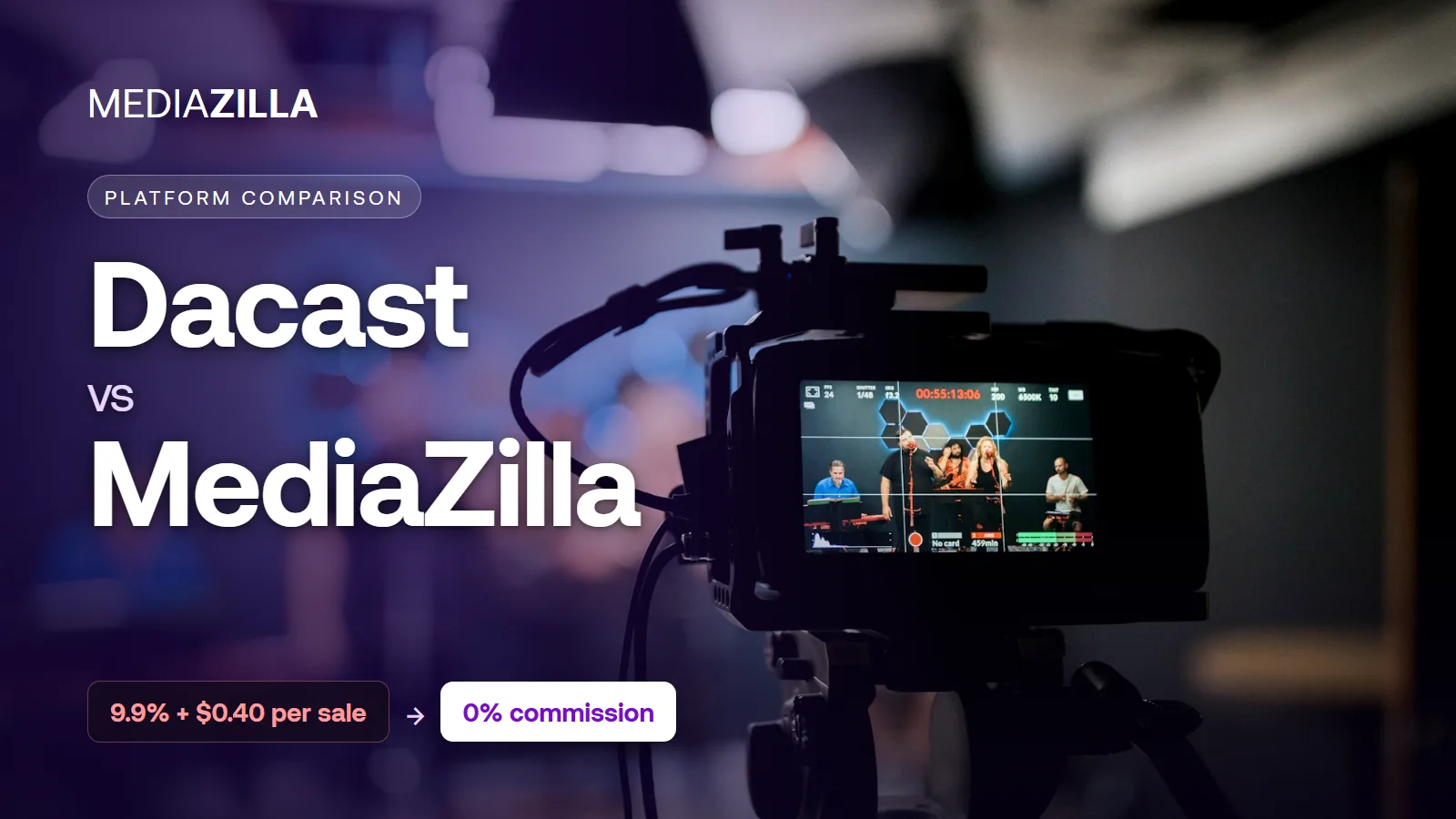
Dacast is a capable live streaming platform, but its paywall takes 9.9% plus $0.40 per sale, bandwidth is metered at $0.30/GB over your allowance, and VOD DRM sits on the $165/month tier. MediaZilla gives filmmakers and studios zero platform commission, included bandwidth and DRM, native TV apps, and lifetime buyer access. On $12,000 in sales, that is $1,188 more kept.
Streaming Tool or Video Business?
Dacast shows up in a lot of searches for "sell video online" and "pay-per-view streaming." That makes sense. It has a paywall, an embeddable player, and a global CDN.
But Dacast was built to answer a broadcaster's question: how do I get a live signal to a large audience reliably? Churches, sports leagues, corporate town halls, and media companies ask that question every week.
Filmmakers, event videographers, and dance and theater studios usually ask a different one: how do I deliver a finished film beautifully, protect it, and get paid for it without giving away a slice of every sale?
Those are two different products. Picking the wrong one does not fail loudly. It shows up slowly, as commission on every ticket, bandwidth overage on your most popular film, and buyers asking how to watch on their TV.
Dacast: What It Does Well and Where It Stops
Where Dacast Genuinely Works
Dacast is a capable live streaming platform. Every plan includes unlimited concurrent viewers, ad-free HD streaming, live stream recording, RTMP and HLS ingest, and 24/7 support. Higher tiers add simulcasting to social platforms, multi-CDN delivery, China delivery, ad insertion, and an API for developers.
If you broadcast a weekly service, a sports season, or a corporate event to thousands of simultaneous viewers, Dacast is built for exactly that. It is a serious tool for that job.
Where Dacast Stops
Dacast stops at the stream. Everything about turning a finished film into a product your buyers love is outside its focus.
A commission on every sale. Dacast's paywall takes 9.9% plus $0.40 per viewer purchase, on both pay-per-view and subscriptions. That is on top of the monthly plan, and on the Starter plan the paywall itself is an add-on. The more you sell, the more Dacast keeps.
Bandwidth is metered. Each plan includes a fixed allowance: 2.4TB per year on Starter at $39 per month, 6TB upfront on Event at $63 per month, 24TB per year on Scale at $165 per month. Go past it and you pay $0.30 per GB. Every extra terabyte your buyers watch costs about $300. Success gets billed.
DRM sits on the top tier. Dacast lists DRM for on-demand video only on the Scale plan and above. If you sell a recorded film on Starter or Event, you are protecting paid content with tokens and passwords, not encryption.
A player, not a viewing experience. Buyers get an embedded player behind a paywall. There are no interactive menus, scene selection, or multi-film presentations, and the listed plans do not include native apps for Apple TV, Roku, or Fire TV.
Contracts built for businesses. Plans are billed annually. Month-to-month billing requires a three-month minimum. That is normal for enterprise software. It is a lot of commitment for a studio that sells recitals twice a year.
| Capability | Dacast | MediaZilla |
|---|---|---|
| Built for | Live broadcasters, enterprises, OTT operators | Filmmakers and creators who deliver and sell video |
| Paywall fee | 9.9% + $0.40 per purchase | Zero platform commission (Stripe fees only) |
| Bandwidth | Fixed allowance, then $0.30/GB overage | Included in the subscription |
| DRM for on-demand video | Scale plan ($165/mo) and above | Included |
| Viewer experience | Embeddable player and paywall page | Branded interactive menus and scene selection |
| TV and mobile apps | Not included in listed plans | iOS, Android, Apple TV, Fire TV, Roku, Android TV |
| Buyer access after you cancel | Ends with your account | Lifetime access, even after you cancel |
| Live streaming | Core strength: RTMP, simulcast, multi-CDN | Focused on recorded, finished films |
MediaZilla: What Changes When You Switch
Zero Platform Commission
MediaZilla supports one-time purchases, rentals, and subscriptions through a built-in checkout. MediaZilla takes no commission on those sales. You pay standard Stripe processing and keep the rest.
That changes how you price. A $40 recital download is worth $40 to you, minus card processing, not $40 minus 9.9% minus $0.40.
No Bandwidth Meter
Streaming is included in the subscription. When a recital gets shared in every family group chat, or a short film takes off, you do not get an overage invoice. Popularity is the goal, not a cost line.
Branded, Interactive Presentation
MediaZilla lets you build Netflix-style interactive menus, scene selections, and multi-video presentations under your own brand. A wedding film opens like a premiere. A three-act recital opens on a menu where parents jump straight to their child's piece.
The presentation reinforces the price you charged, and it is what family members remember when they ask who made it.
Native Apps on Every Screen
Buyers watch on the web, iOS, Android, Apple TV, Fire TV, Roku, and Android TV. When a grandparent asks whether they can watch the recital on the living room TV, the answer is yes, with no casting workaround.
Content Protection Included
MediaZilla applies DRM encryption to uploaded content, blocks unauthorized downloads, and limits concurrent devices per buyer. It is part of the platform, not a tier you upgrade into once piracy has already cost you sales.
Lifetime Access and Direct Viewer Support
Buyers keep access to what they purchased, even if you later cancel your MediaZilla account. And when a viewer forgets a password or cannot log in on a new TV, MediaZilla supports them directly instead of routing every ticket back to you.
The Cost Comparison: What You Actually Keep
Run one realistic scenario through both platforms.
A dance studio and event filmmaker records spring and winter recitals plus a few theater productions. Over a year they sell 300 tickets at $40 each, for $12,000 in sales. They need a paywall, so on Dacast they need at least the Event plan.
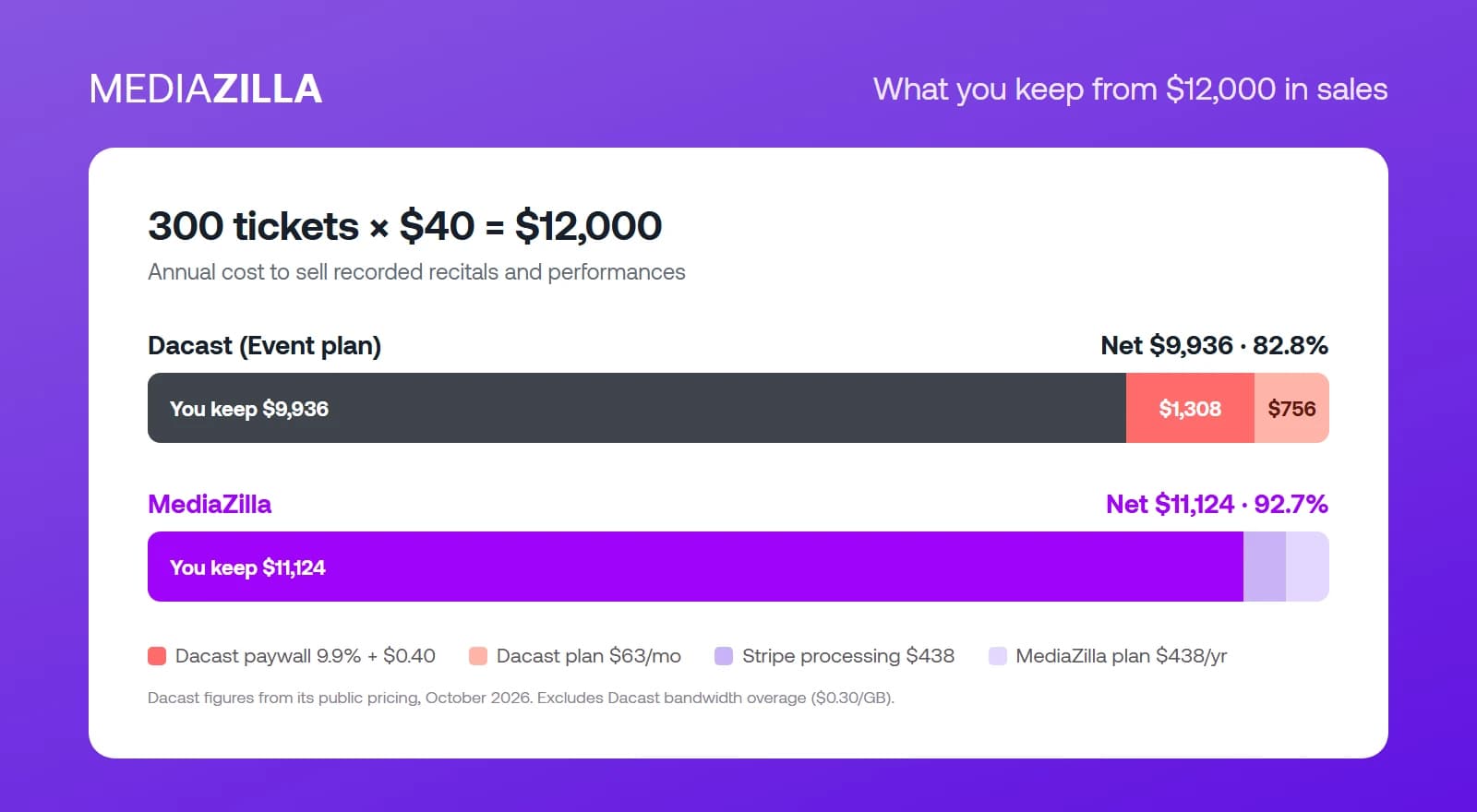
| $12,000 in sales (300 × $40) | Dacast Event | MediaZilla |
|---|---|---|
| Platform subscription | $756 ($63/mo, annual) | $438 |
| Paywall commission | $1,308 (9.9% + $0.40 each) | $0 platform commission |
| Card processing | Included in commission | $438 (Stripe 2.9% + $0.30) |
| Total annual cost | $2,064+ | $876 |
| Net take-home | $9,936 (82.80%) | $11,124 (92.70%) |
On Dacast: The Event plan costs $756 per year billed annually. The paywall takes 9.9% of $12,000 ($1,188) plus $0.40 on each of 300 purchases ($120), for $1,308. Total cost: $2,064, before any bandwidth overage. Net take-home: $9,936, or 82.80% of sales.
On MediaZilla: The subscription is $438 per year. Zero platform commission. Stripe processing at 2.9% plus $0.30 per transaction comes to $438. Total cost: $876. Net take-home: $11,124, or 92.70% of sales.
That is $1,188 more in your pocket on the same sales, and the gap grows with every ticket you sell. Double the sales and Dacast's commission doubles with it. MediaZilla's subscription does not.
Who Should Stay on Dacast
Dacast is the better choice in some cases, and it is worth being clear about them.
- You broadcast live, regularly, to large simultaneous audiences, and the live moment is the product.
- You need simulcasting to social platforms, ad insertion, or delivery into mainland China.
- Your team is building its own app or website and mostly needs a streaming backend and an API.
If instead you record events, edit them, and then deliver or sell the finished film, you are paying for broadcast infrastructure you do not use, and a commission on the part you do.
How to Switch from Dacast to MediaZilla
Step 1. Check Your Renewal Date and Contract Terms
Dacast plans are billed annually, and month-to-month plans carry a three-month minimum. Find your renewal date first, then plan the move so it finishes before you are billed for another term.
Step 2. Export Buyer and Purchase Records
Export your paywall customer list and purchase history from Dacast: names, emails, what they bought, and when. These records are how past buyers keep access after the move. Do this before anything else.
Step 3. Download Master Files to Two Independent Locations
Download the original video files and store them on an external drive and in a cloud account you control. Your masters should never live only on a streaming platform, whichever one you use.
Step 4. Set Up MediaZilla Before Announcing Anything
Create your MediaZilla account, connect Stripe, and set up branding, menus, and pricing. Upload one film and test it on desktop, mobile, and a TV app. Buy access yourself once. The first customer through your checkout should not be your first test.
Step 5. Move Past Buyers and Tell Them
Import your historical buyers so they keep what they paid for. Then email them a short note: the films moved, their access is permanent, and they can now watch on their TV. MediaZilla's team can help with bulk buyer imports and access setup.
Step 6. Update Every Link and Embed
Replace Dacast embeds and paywall links on your website, emails, and social profiles with your MediaZilla links. Then let your Dacast plan lapse at renewal rather than paying for a platform you have already left.
Frequently Asked Questions About Dacast vs MediaZilla
What is the main difference between Dacast and MediaZilla?
How much does Dacast charge on paywall sales?
How much does Dacast cost per month?
Does Dacast charge for bandwidth?
Does Dacast include DRM?
Is Dacast better than MediaZilla for live streaming?
Can I sell dance recitals and event films through MediaZilla?
How do I move my videos from Dacast to MediaZilla?
Featured Resource
Migrate from Vimeo On Demand before November 20
Apply for a free MediaZilla migration spot. Approved libraries move in 14 days - or we pay you $1,000.
Apply for free migration