How Event Videographers Get More Clients: Venues, Planners, Referrals, and Local Search
By MediaZillaUpdated
Free migration offer
Move your Vimeo On Demand library to MediaZilla in 14 days, or we pay you $1,000.
Referrals from venues and planners, what to do after every event, and how to show up in local search, with a 90-day plan event videographers can start this week.
Most event videographers get clients from people who already trust them. Venues, planners, and past clients are the shortest path to a booking, and a good local search presence catches everyone else.
This guide covers how to earn referrals from venues and planners, what to do after every event, and how to set up local search, with a 90-day plan you can start this week. The sources are industry articles, so we mark which advice is ours.
How Do Venues and Planners Send You Clients?
Venues and planners meet couples and companies at the moment they choose suppliers. Industry guides describe that relationship as one of the strongest channels for event video, including this one on booking wedding video clients and this one on word-of-mouth gigs.
- Cold emails rarely work. Guides warn that asking for a preferred-supplier spot gets lost, because venues receive dozens of those requests.
- Reliability is what they value. Clear contracts, fast replies, and on-time delivery. A planner's view is to be someone they love to refer.
- Serve first. Offer something useful before you ask for anything.
Here is our suggestion, not a source's: offer a venue a short clip from an event you filmed there, with credit, for its own website or social posts. It costs you an hour and gives the venue a reason to remember you.
What Should You Do After Every Event?
One source says the referral relationship with a client truly begins when the event is over. Make that moment easy.
- Deliver on the date you promised, in a film page the client can share.
- Ask for a review within a week, while they are happy.
- Ask the client to introduce you to the venue and the planner by name.
- With the client's permission, send the venue the finished film.
- Note the source of every booking in a simple sheet.
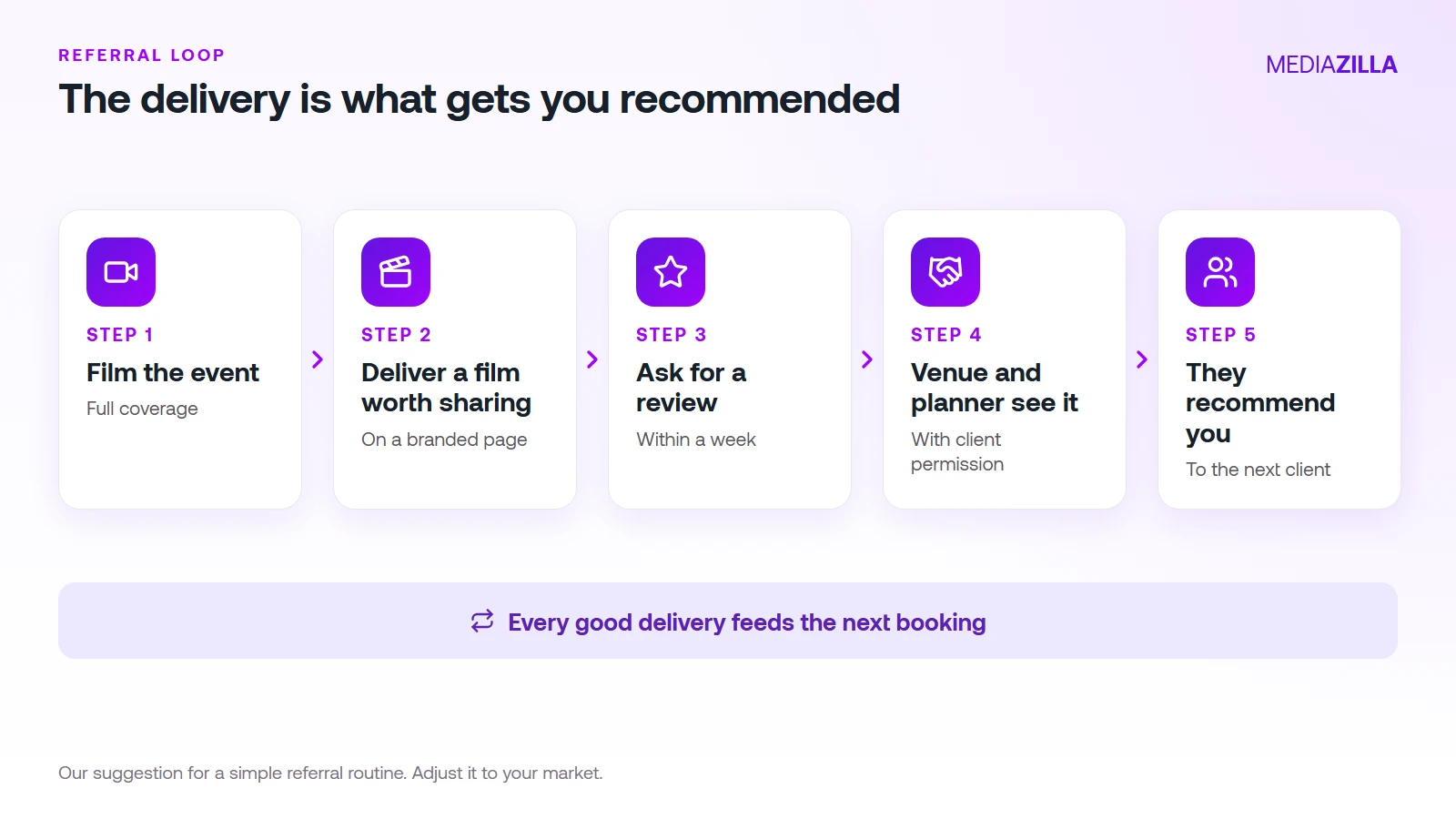
One event photographer reported that 80 percent of new clients came through referrals from other clients. That is one person's experience, not a benchmark.
How Do You Show Up in Local Search?
Agencies and vendors publish plenty of advice on local SEO for videographers, such as Vimeo's local SEO guide, a videographer local SEO guide, and Whitespark's Google Business Profile guide. Treat it as advice, not proof. The common points:
- Complete your Google Business Profile. Pick an accurate category and list your service area.
- List every service with a description. This helps Google match your profile to specific searches.
- Target service plus city. For example, an event videographer in your city, or a corporate event videographer in your area.
- Collect reviews. Review volume and profile completeness are described as the drivers of early results.
- Show proof. Photos and short video clips of real events.
What Should Your Website Show?
- One page for each type of event you want more of, such as weddings, corporate events, and performances.
- A sample film on each page, opened from a real film page.
- Your service area and a clear way to ask for a quote.
- Reviews, with the structured data your site builder supports.
What Is a 90-Day Plan?
This is our suggestion. Adjust it to your market.
- Week 1: complete your Google Business Profile with services and service area.
- Weeks 2 and 3: build one page for each event type, each with a sample film.
- Weeks 4 to 8: offer a short clip to five venues you have worked at.
- From week 6: ask every client for a review within a week of delivery.
- Weeks 9 to 12: check where bookings came from, and do more of what worked.
New clients are only half of growth. Once they book, see how event videographers raise revenue per client, and compare delivery tools in our best platform for event videographers guide.
How Does MediaZilla Solve This?
The problem in this post is that referrals depend on how the delivery feels. MediaZilla makes the film your client shares the best advertisement you have.
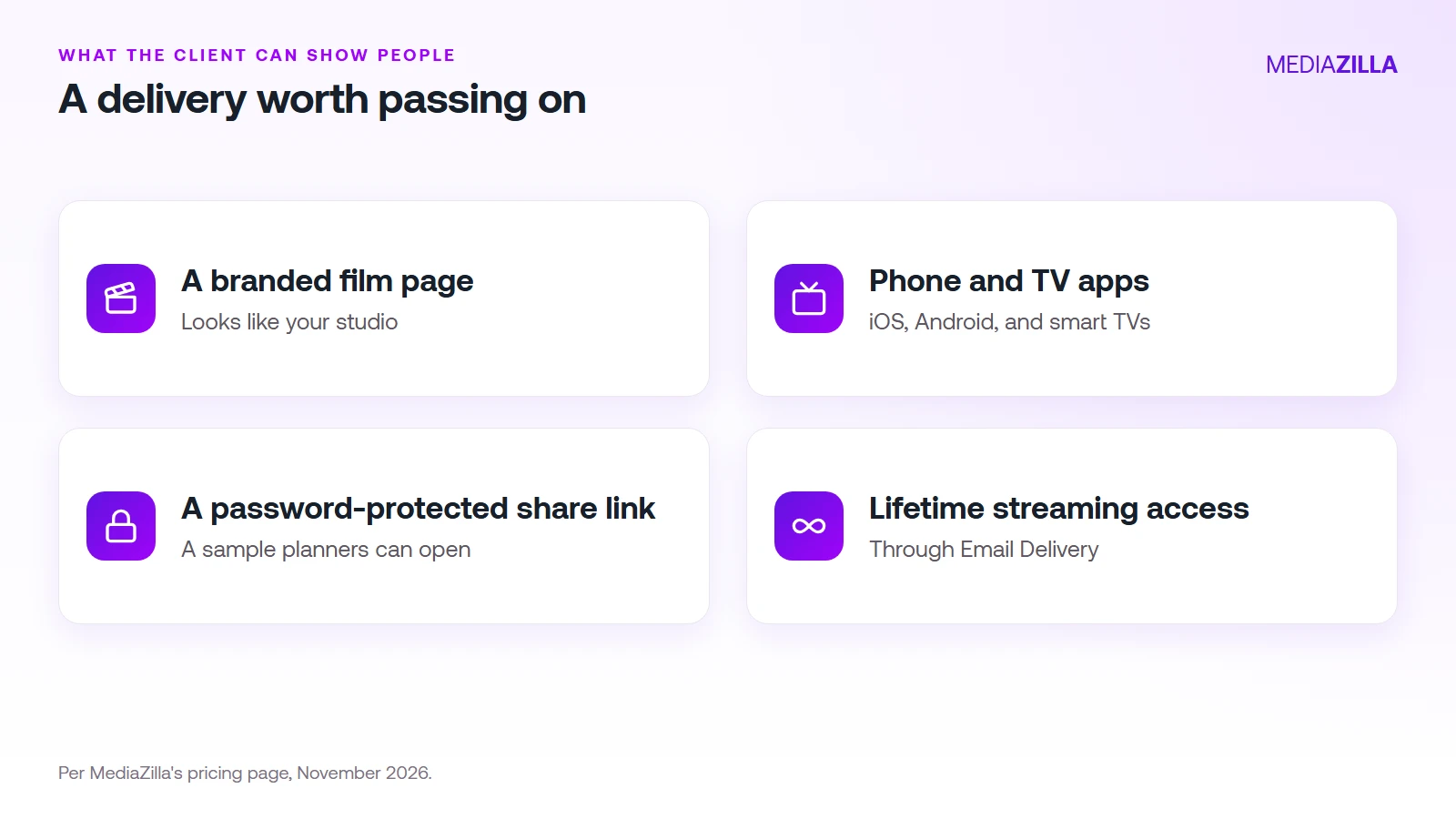
A Film Page Worth Sharing
Clients watch on a branded film page and in apps for iOS, Android, and smart TVs, so the thing they show their friends looks professional.
A Sample Planners Can Open
Use a finished film page as your sample for venues and planners. According to MediaZilla's pricing page, Share Links can be password protected.
Access Stays
Email Delivery gives lifetime streaming access to recipients who accept, so a client can rewatch and show the film years later.
What It Doesn't Do
MediaZilla doesn't find clients for you. It makes the delivery worth talking about.
What Does It Cost?
Growth is $37 a month billed annually, which is $444 a year. It includes 100 GB of yearly upload quota, built-in selling, and 0% platform commission. Stripe's card processing still applies, about 2.9% plus $0.30 per US card payment. Free doesn't include video sales, and Starter sells at 15% commission.
Try it before you commit. MediaZilla has a 14-day trial with no credit card. During the trial, selling runs at 15% commission, and the 0% rate starts on a paid Growth plan or higher. Start your free MediaZilla trial.
Ready to deliver a film clients want to show people? Upload one and try MediaZilla free.
Frequently Asked Questions About Getting Event Video Clients
Where do most event videographers get clients?
Do cold emails to venues work?
What should my Google Business Profile include?
How soon after an event should I ask for a review?
Does MediaZilla bring me clients?
Featured Resource
Migrate from Vimeo On Demand before November 20
Apply for a free MediaZilla migration spot. Approved libraries move in 14 days, or we pay you $1,000.
Apply for free migration