How Event Videographers Raise Revenue Per Client Without Finding New Clients
By MediaZillaUpdated
Free migration offer
Move your Vimeo On Demand library to MediaZilla in 14 days, or we pay you $1,000.

Cover the whole event in every package, differentiate by edits, and offer add-ons at the right moment. Here is the upsell playbook for weddings, performances, and hybrid events, with a worked example and a past-client email.
The easiest new client is one you have already filmed. A couple who loved their wedding film, a parent who bought a recital video, a company that hired you for a conference: all of them can buy more from you, if you give them something worth buying.
Here is how event videographers raise revenue per client: what every package should include, which add-ons sell, when to offer them, and how to sell to past clients. Where we lean on MediaZilla's own playbooks, we say so, and we label every number that is an illustration.
What Should Every Package Include?
MediaZilla's Maximizing Revenue article and Dynamic Video Sales Playbook give the same three package rules:
- Cover the whole event in every package. Shoot full coverage and scale it to the size of the event, so you always have footage to sell later.
- Differentiate by edits, not coverage. You decide how many cameras and operators the job needs. Clients choose deliverables, such as a highlight film or a ceremony edit.
- Do not give away raw footage. Both articles say clients who want it will pay for it, and that giving it away lowers its value and can reduce later edit sales.
That turns every event into a menu. A guide to upselling packages and add-ons describes the same shape for event pros: clear packages first, then optional extras on top.
Which Add-Ons Sell?
- A full ceremony or full event edit. The whole thing, for people who want to watch all of it.
- A documentary edit. A longer, story-style cut.
- Social teasers. Short clips made to share.
- Raw footage, only if you choose to sell it, priced as its own product.
The two MediaZilla articles list the same core add-ons: full ceremony, documentary edit, raw footage, and social teasers. We found no published prices in them, so set yours from your own costs and your market.
When Should You Offer Them?
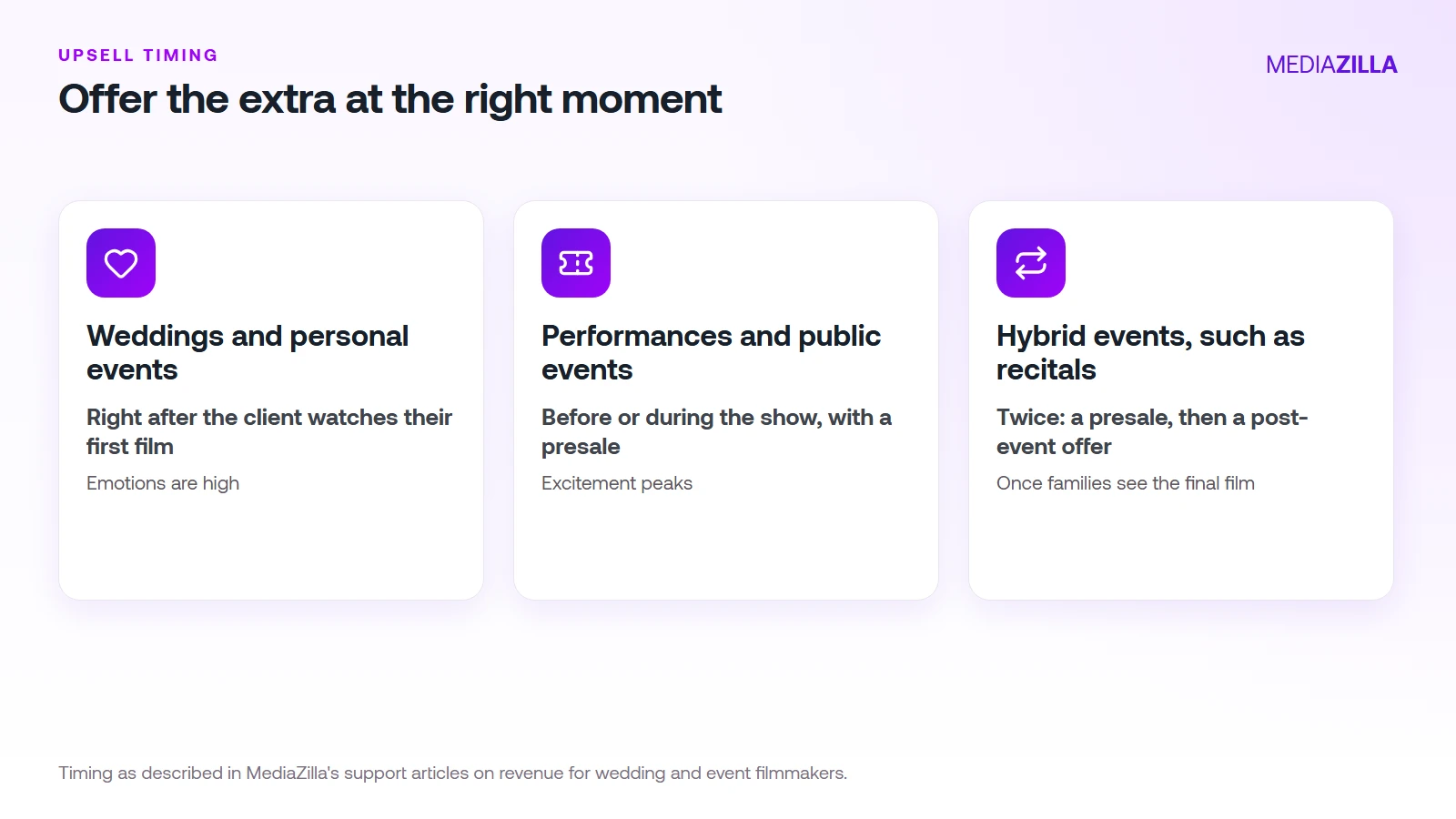
- Weddings and personal events: right after the client views their first film, when emotions are high.
- Performances and public events: before or during the show, when excitement peaks. Use presales to lock in revenue.
- Hybrid events, such as dance recitals: twice. A presale first, then post-event upsells once families have seen the final film.
One wedding videography upsell guide lists four moments to offer extras: during package selection, after booking, before the event, and after it. Early offers feel like planning. Later ones feel like an enhancement. Match the offer to the moment, so a same-day edit is a booking-time choice and social teasers are a post-event one.
How Do You Sell to Past Clients?
This is the fastest win, because these clients already trust you. MediaZilla's playbook describes a simple sequence:
- If the project is not on your platform yet, offer to move it to app-friendly streaming, and present the new add-ons.
- If it is already there, point the client to the new add-ons in their film menu.
- Send one short email. The playbook's template uses the subject line "Unlock more memories from your [event type]", lists the add-ons, and promises delivery within 2 weeks.
Promise only the turnaround you can keep.
What Could It Add Up To?
An illustration, with made-up numbers. Use your own.
- 40 events a year, and 30% of clients buy a $200 add-on: 12 sales, $2,400.
- 100 past clients, and 5% buy the same $200 add-on: 5 sales, $1,000.
- Add-ons alone: $3,400 a year, with no new bookings.
MediaZilla's support article says these strategies can raise per-client revenue by 10 to 20 percent or more. That is MediaZilla's own claim, drawn from filmmaker interviews, and not an independent benchmark.
Should You Sell Raw Footage?
Decide before your first client. MediaZilla's playbooks recommend never giving it away. If you do sell it, price it as its own product, say so in your contract, and keep it separate from the edited film. Our guide to how long videographers should keep client files covers retention.
How Does MediaZilla Solve This?
The problem in this post is turning those add-ons into something a client can buy in one click. MediaZilla puts the add-on menu inside the film itself.
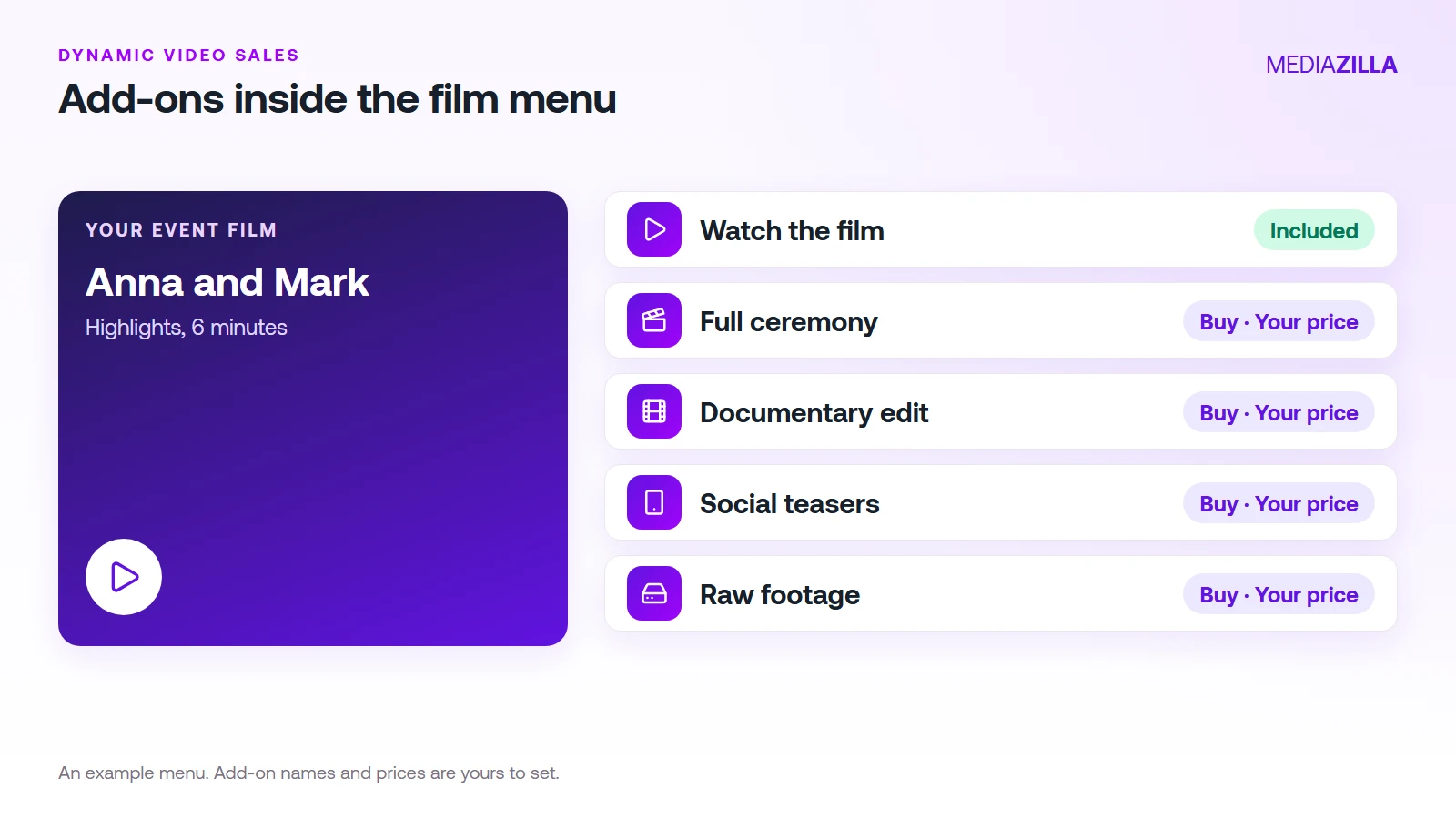
Add-Ons Inside the Film Menu
MediaZilla's Dynamic Video Sales lets you add paid buttons to a film's menu, so clients buy without leaving the experience. Each add-on has a title, a description, a price, and an optional preview video.
Sell Before the Edit Is Done
You can use a placeholder video, then finish the edit after the sale and swap in the final file. You get an email for each sale, and you tell the buyer when it is live.
Past Clients Keep Their Access
Email Delivery gives recipients lifetime streaming access, according to MediaZilla's pricing page, so a past client can come back to the same film menu and buy a new add-on.
What You Need
Dynamic Video Sales needs a Starter plan or higher and a connected Stripe account. Starter sells at 15% commission and Growth and above at 0%.
What It Doesn't Do
MediaZilla doesn't set your prices or write your offer. Those still come from you.
What Does It Cost?
Growth is $37 a month billed annually, which is $444 a year. It includes 100 GB of yearly upload quota, built-in selling, and 0% platform commission. Stripe's card processing still applies, about 2.9% plus $0.30 per US card payment. Free doesn't include video sales, and Starter sells at 15% commission.
Try it before you commit. MediaZilla has a 14-day trial with no credit card. During the trial, selling runs at 15% commission, and the 0% rate starts on a paid Growth plan or higher. Start your free MediaZilla trial.
Ready to turn your next event into a menu? Upload one film and try MediaZilla free.
Frequently Asked Questions About Event Video Revenue
How can an event videographer earn more from each client?
When is the best time to upsell an event video?
Should I sell raw footage?
Can I sell add-ons to clients from past events?
Do I need a special plan to sell add-ons on MediaZilla?
Featured Resource
Migrate from Vimeo On Demand before November 20
Apply for a free MediaZilla migration spot. Approved libraries move in 14 days, or we pay you $1,000.
Apply for free migration