
Menu Layouts
Pick a layout, drop your scenes in. That's the whole setup. Multiple layouts to choose from, all built for how films get delivered.
Build a branded menu around your work. Pick the layout, drop in your scenes, add your logo. Give your client something that actually feels finished.
Start freeTrusted by filmmakers worldwide











You spent weeks on this film. The moment your client opens the delivery matters. MediaZilla lets you build a real presentation with your branding, your layout, your scenes. Not a Vimeo password. Not a WeTransfer link. Something that feels like you made it.
Pick a layout, drop your scenes in. That's the whole setup. Multiple layouts to choose from, all built for how films get delivered.
Clients jump straight to any scene. No scrubbing. You control the order and name each moment yourself.
Your fonts, your colors. Looks like your studio. Save a look and apply it across every menu in one click.
A photo or a solid color. Your call. The whole menu takes on your look from the first moment.
A quiet soundtrack while they browse. Small touch, real polish. Upload any audio track and it plays in the background.
Your logo up front. Every time. Set it once and it carries through to every delivery automatically.
Hit Create Presentation from the project and you are in the editor. Add videos, scenes, and music. Preview it yourself, then Publish when it is ready. Nobody else sees it until you do.
See how it works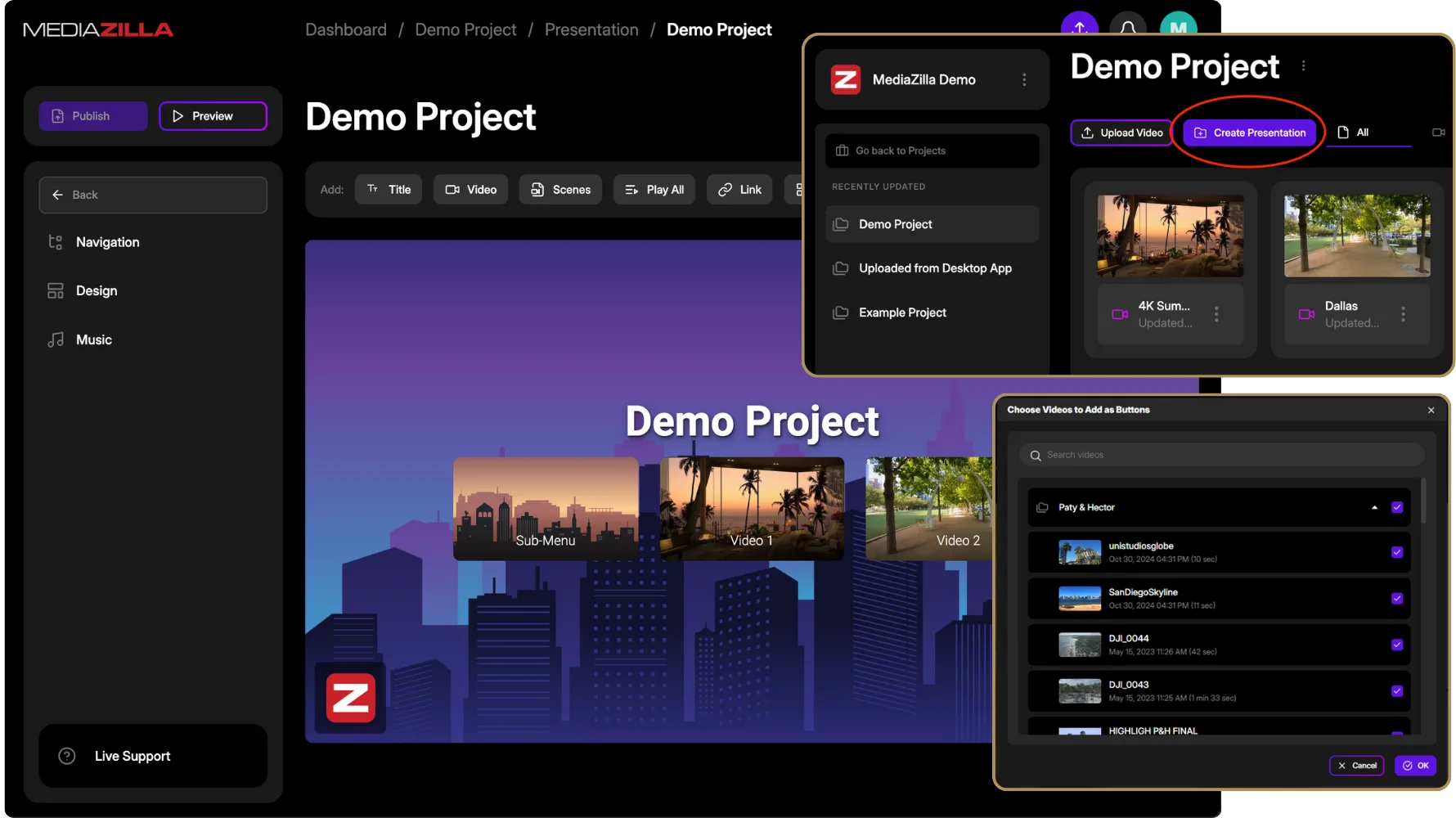
Pick the videos for your scenes, mark the key moments, or import chapters you already have. MediaZilla turns that into chapter buttons in the menu. No retyping timestamps, no copying scene names.
See how it works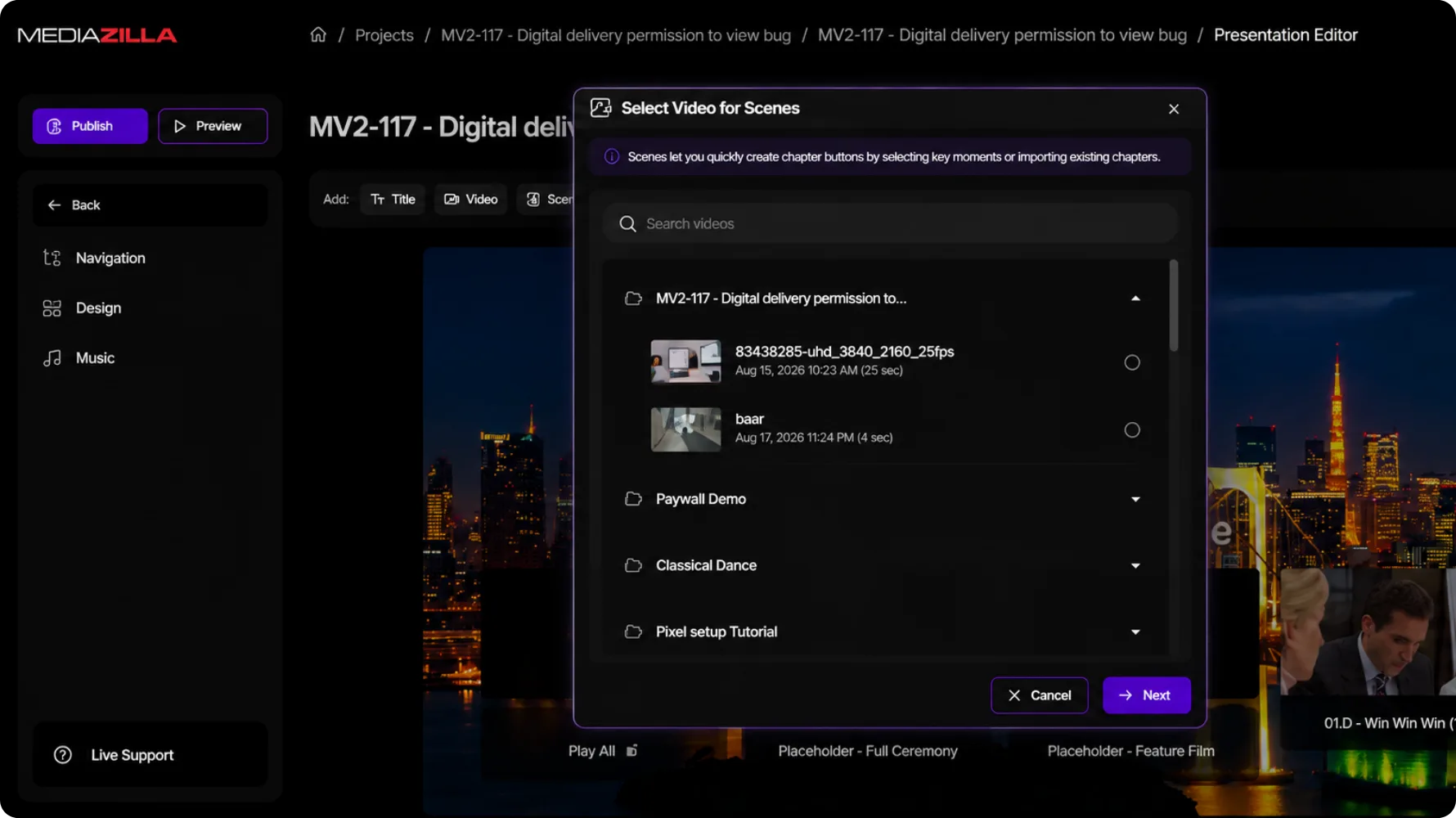
In Navigation you build the menu they will click: main menu, submenus, video buttons. Set the label, start time, and thumbnail. That is how they jump to a scene later. No scrubbing a long film.
See how it works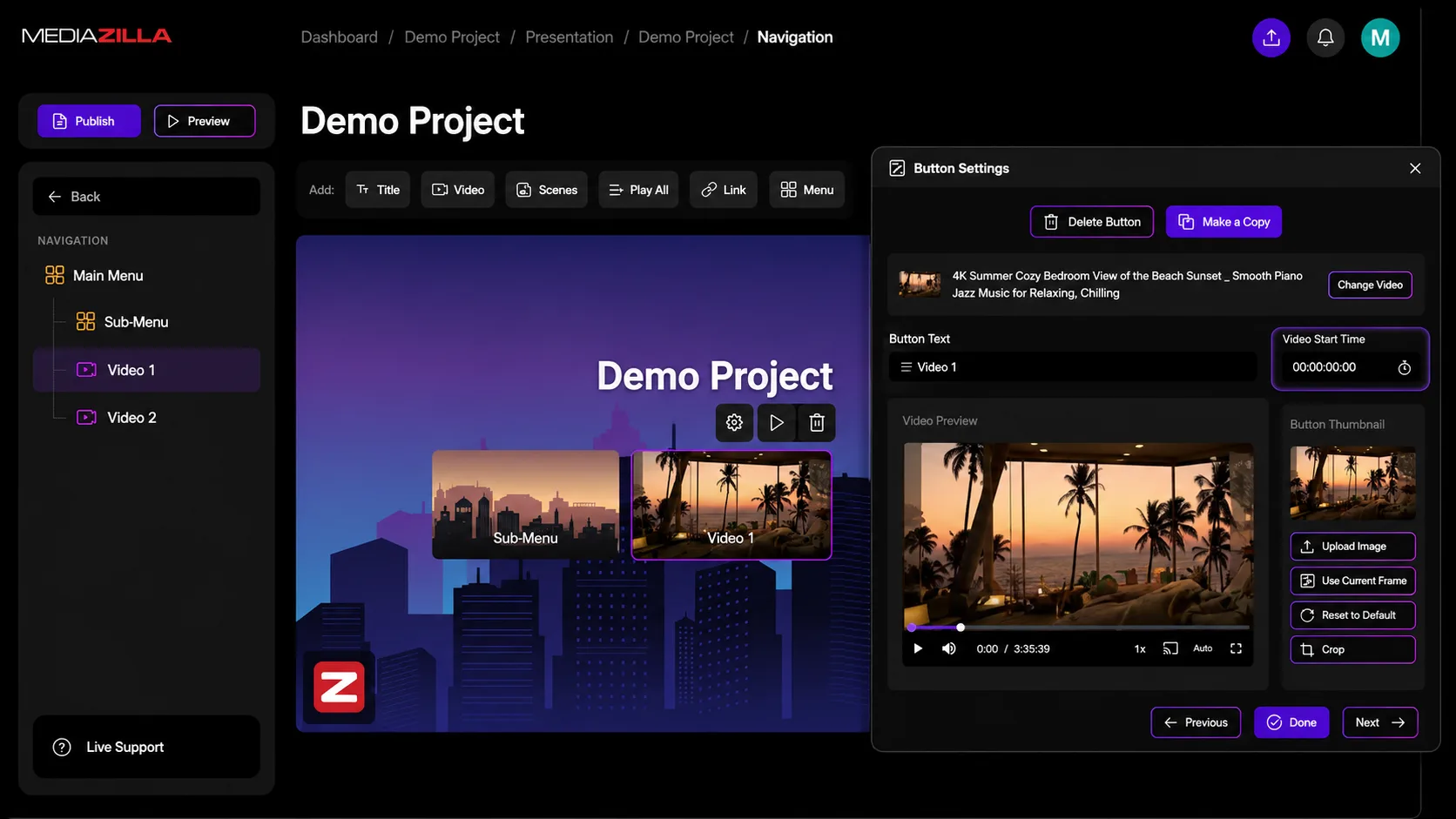
Create a new presentation and choose a design style first. The look is already there. Drop in your videos after. You are not starting from a blank screen.
See how it works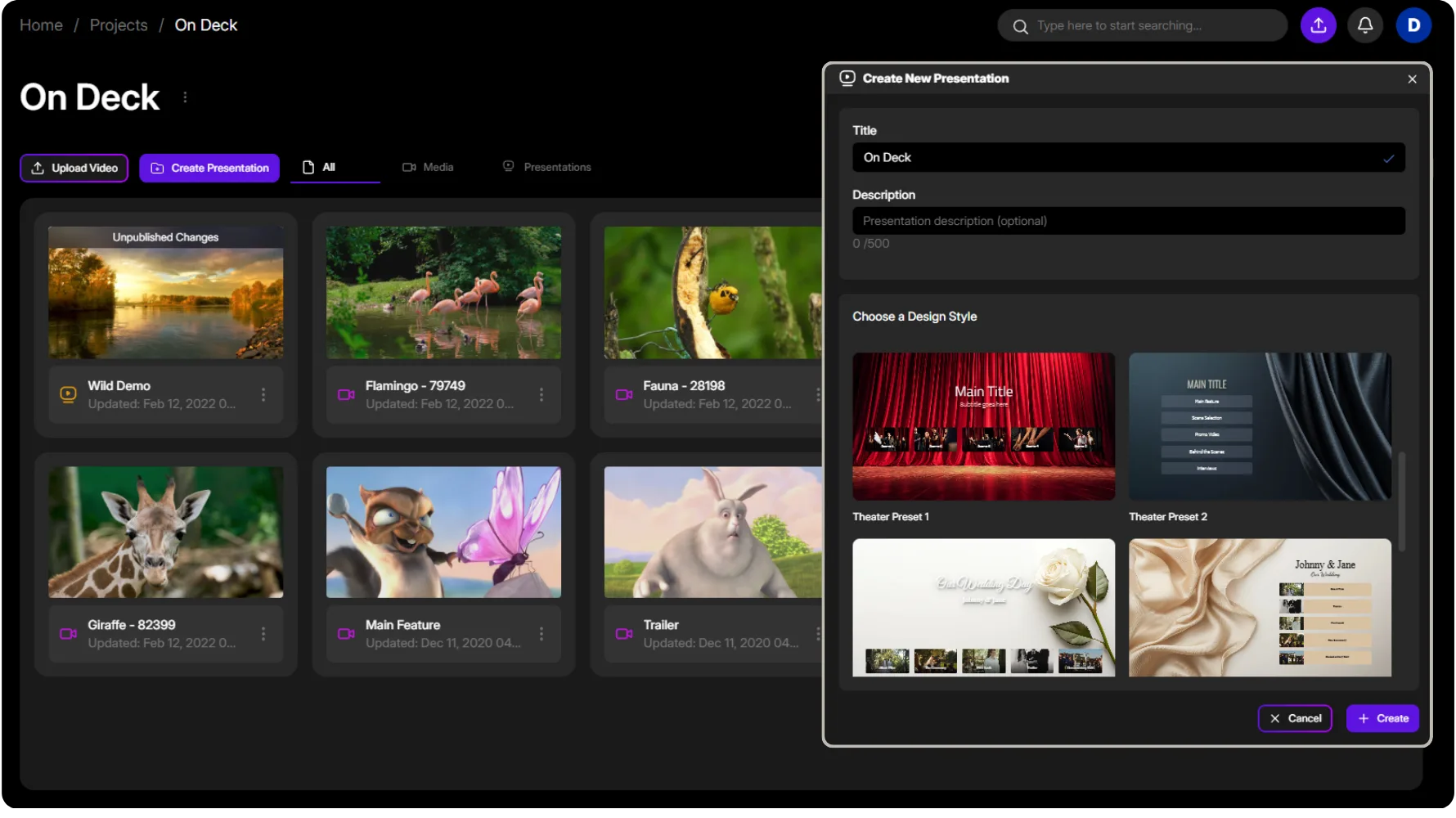
Turn branding on and your company profile lands on the menu: logo, website, phone, email, social. Set it once. It shows up on every presentation.
See how it works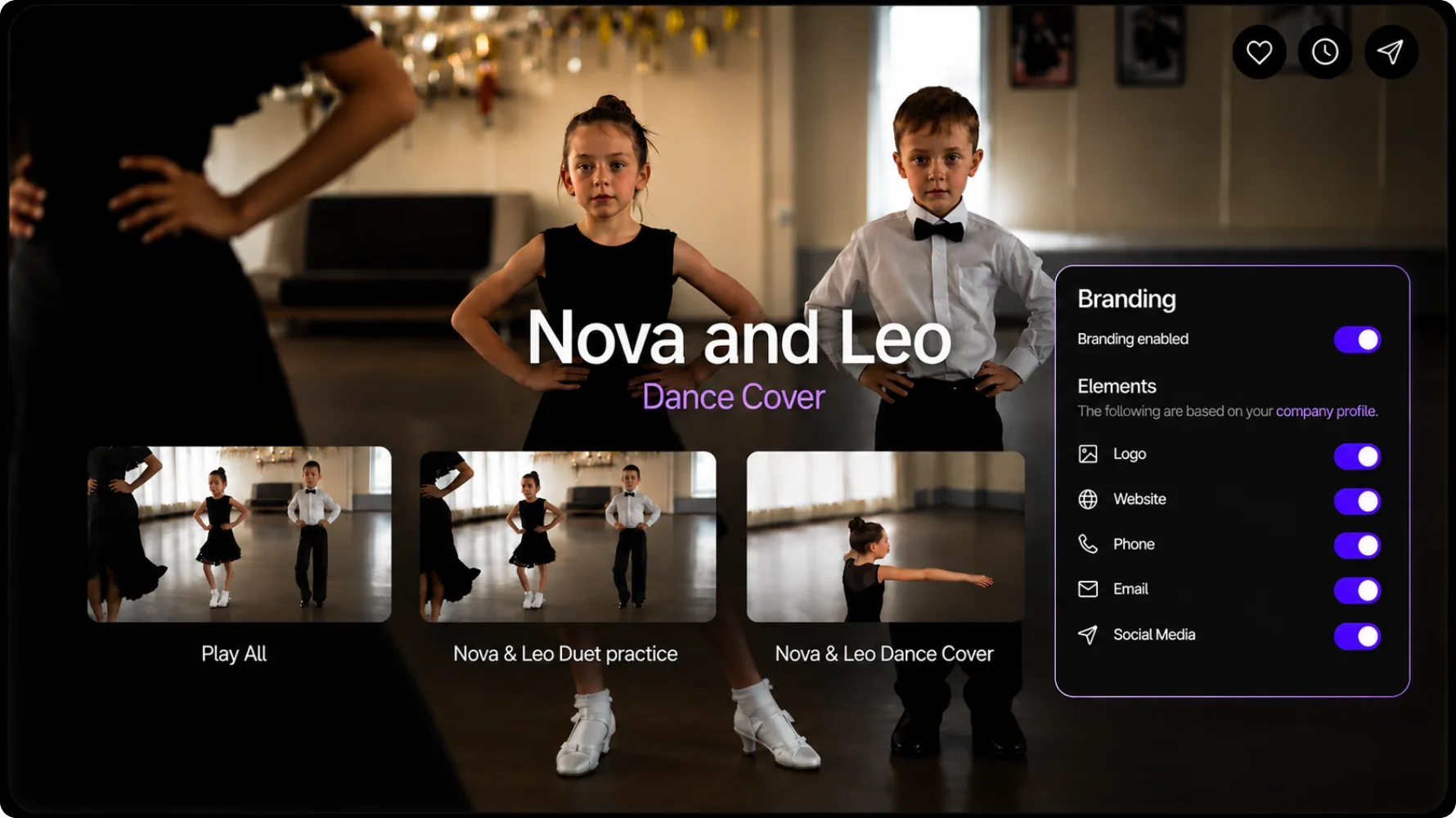
Open Captions and generate a track, or upload a caption file and pick the language. Viewers get subtitles without a separate cut or another tool.
See how it works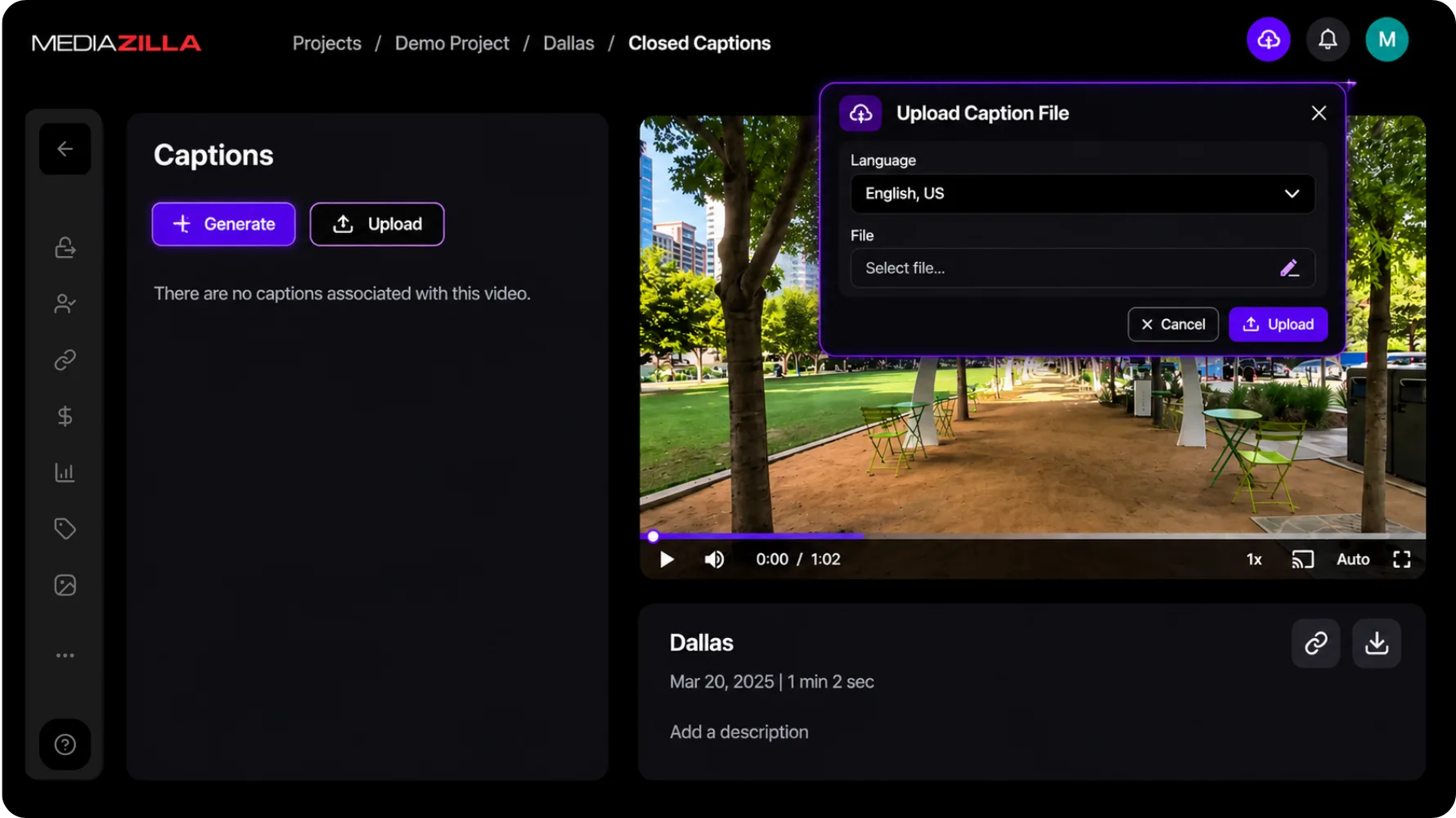

Video review
This changed how we present premium films to clients.
Brett
Video creator
10+ years
professional delivery our studio relies on
Sleek look, top-notch service. Couldn't be happier.
Ray Roman
Ray Roman Films

Video review
The delivery flow now feels polished and effortless.
Richard Osso
Filmmaker
Clients love it
easy to use, and service is spectacular
We could not be happier with the service.
Whitney Bowen
Bowen Films
Video review
Clients love the premium viewing experience.
Terry K
Videographer
Full control
privacy, sharing, and a menu-based delivery
Excellent service. The best way to deliver content.
Ger Griffin
Ger Griffin Wedding Film
Video review
Professional delivery that elevates every final film.
Chersteen Colby
Cinematographer

Since 2018
no more physical media for every project
My team switched to MediaZilla. Delivery got simpler.
Richard Kim
True Focus Films

Every year
upload, menus, and delivery keep getting better
I have used MZ since the beginning. Huge fan.
Eddy Wittevrongel
Ik Film Je
Clients do too
chapters, sharing, and a custom presentation
We love the ability to customize a presentation.
Ruth Samson
Sky Cinema Films
The essentials about access, playback, delivery, and the feature you are exploring.
Videos need to finish transcoding first. That's what generates the thumbnails and previews the builder uses. The option unlocks as soon as processing is done.
Yes, two ways. Save it as a template to carry the layout, submenus, buttons, and product catalogs into a new project. Or just duplicate it and swap the content. The copy gets a fresh link and its own analytics.
Add markers in Adobe Premiere, Final Cut Pro, or DaVinci Resolve and either embed them in the export or import the marker list. You can also add and edit chapters directly inside MediaZilla.
Yes. Publish and preview lets you walk through the whole experience exactly as your client would, before you share it with anyone.
Yes. Your Company Profile carries your logo, contact info, and social links through to your videos, presentations, and emails. Branding on videos and presentations requires the Growth plan or above.
It's where you build an interactive menu around your videos. Add scenes, music, submenus, captions, and your branding, then preview and publish.
Generate them automatically, upload your own files, or edit and translate right inside MediaZilla. Viewers choose their track. Auto-generation is $0.15 per minute after the trial.
Free to start, no card needed. If you get stuck, real people on our team will help.
Start free