
Dynamic Video Sales
Add-ons sit right in the player. They see it and buy it.
Sell add-ons, put up a paywall, or take presales before the edit is done. Let clients buy right inside the delivery while they're still watching.
Start free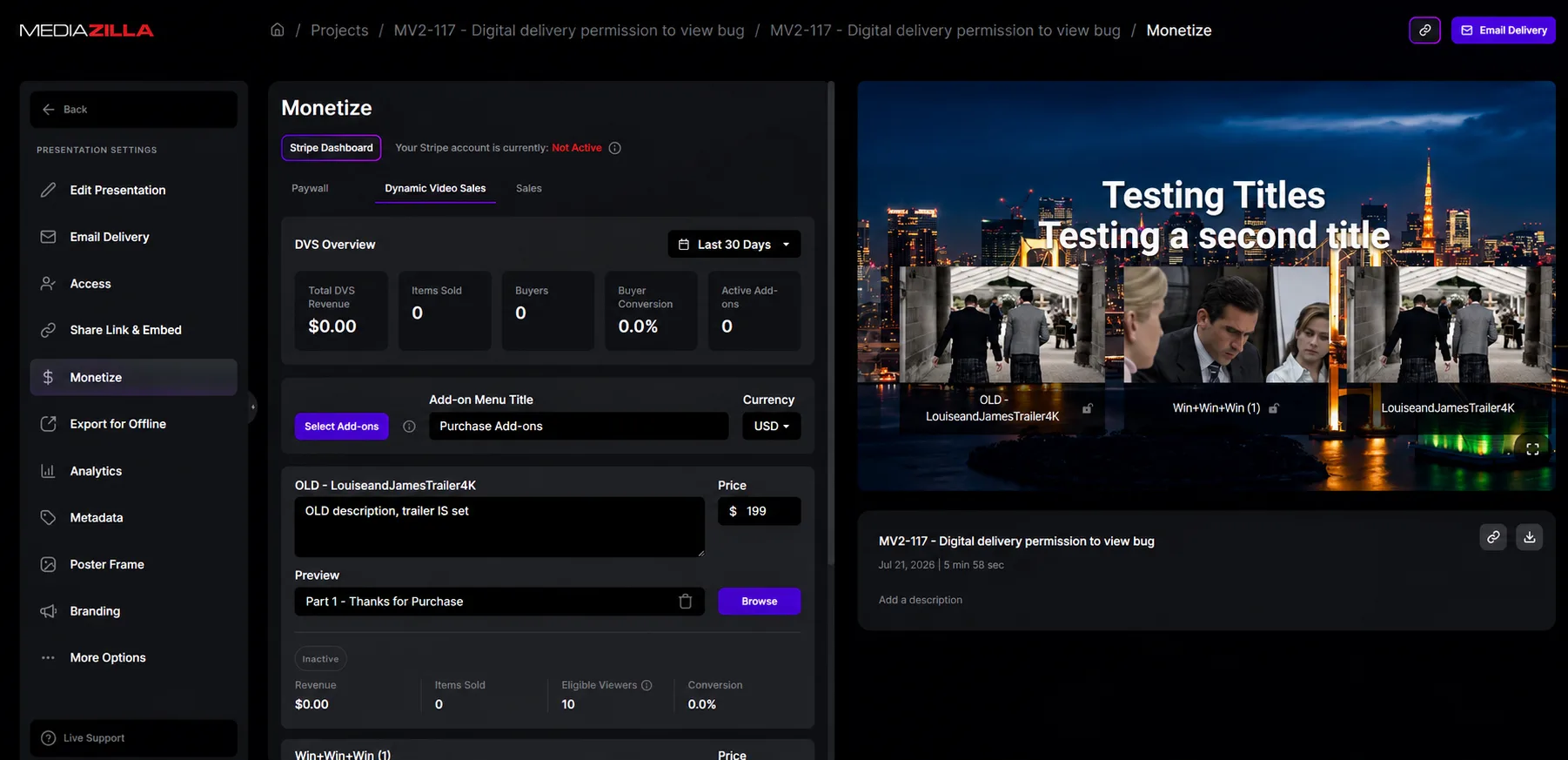
Trusted by filmmakers worldwide





















The ceremony, the raw interviews, the extra angle from the second camera. You captured all of it. Most of it just sits on a drive. MediaZilla lets you put a price on what's left and sell it right inside the delivery, while your client is still in the feeling of watching their film.
Add-ons sit right in the player. They see it and buy it.
They pay to watch. Clean and simple.
Collect payment before the edit is done.
Connect Stripe. Money goes straight to you.
Sell singles, packages, or full project access.
Buyers get a confirmation. You don't have to follow up.
Raw footage, extra angles, a documentary cut. You put those films in Dynamic Video Sales, price them, and attach them to the delivery. They buy from the same project. You are not sending a follow-up email later.
See how it works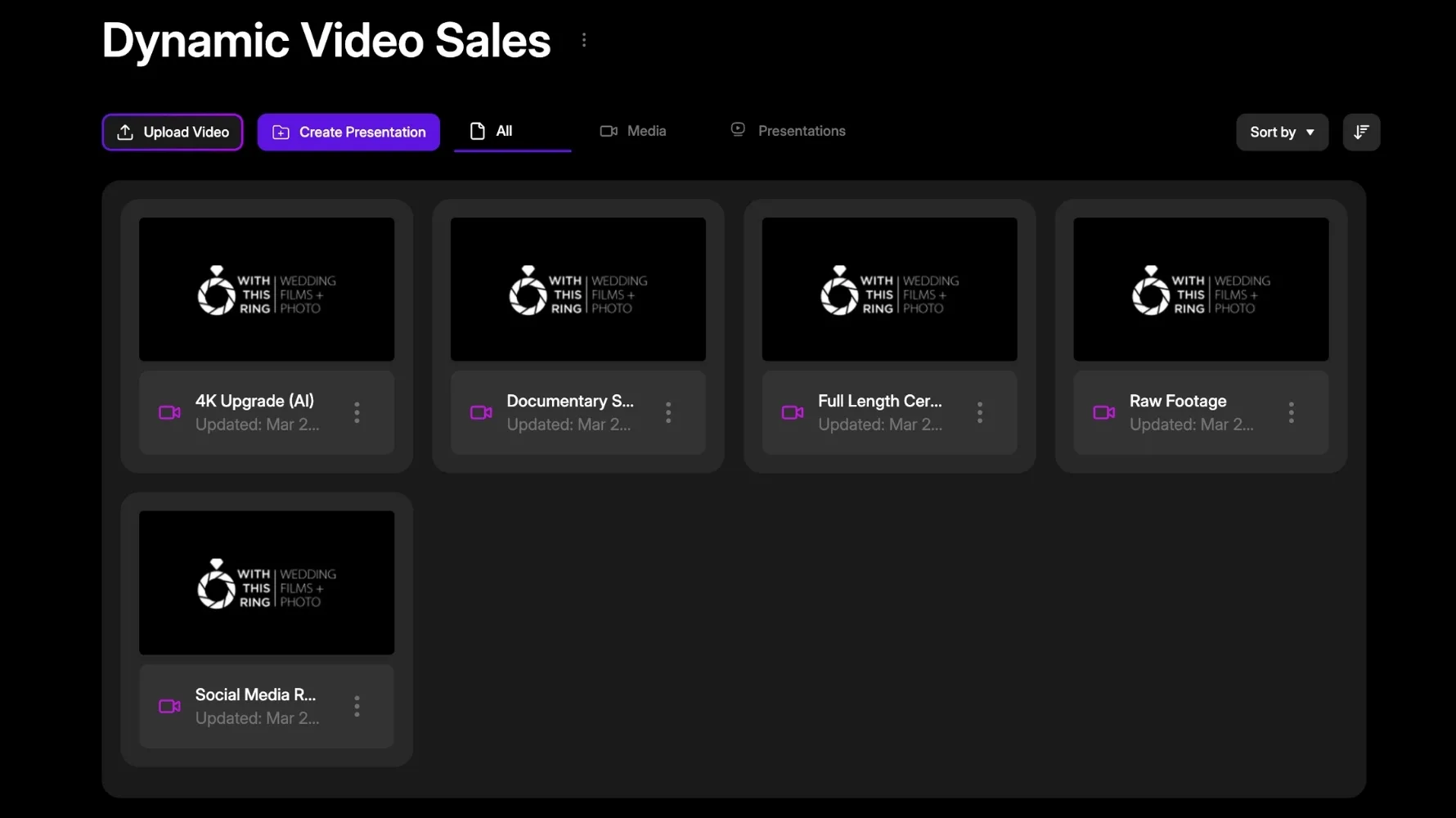
Set the price, currency, and a preview on the paywall page. Anyone with the link can pay to watch. The couple hired you. Parents and guests can still buy access. One shoot, more buyers.
See how it works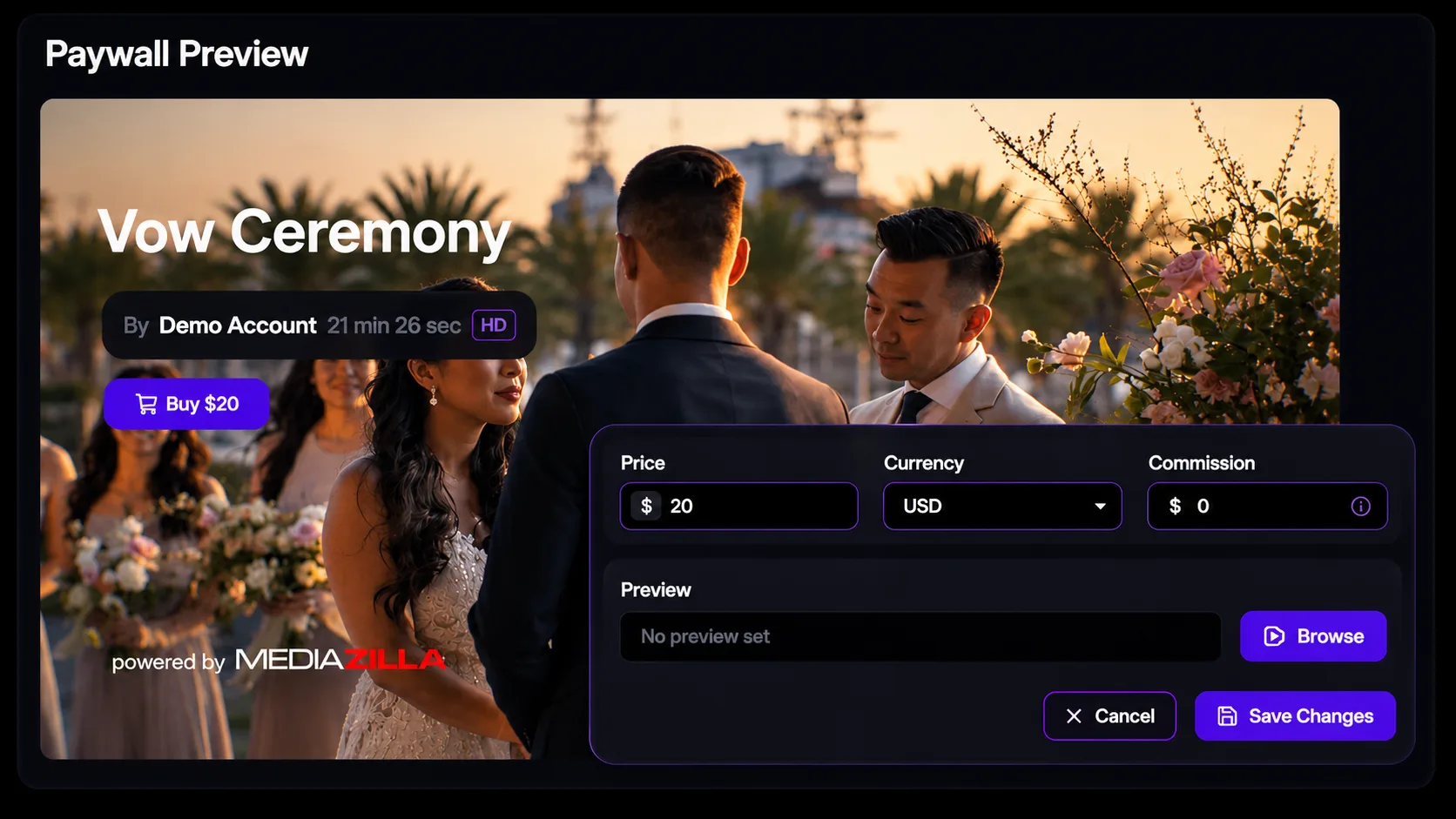
Stripe shows Active. Flip Enable Paywall. You can do this before a single video is up. Send the link, collect early, and they get access when you publish. No chasing invoices later.
See how it works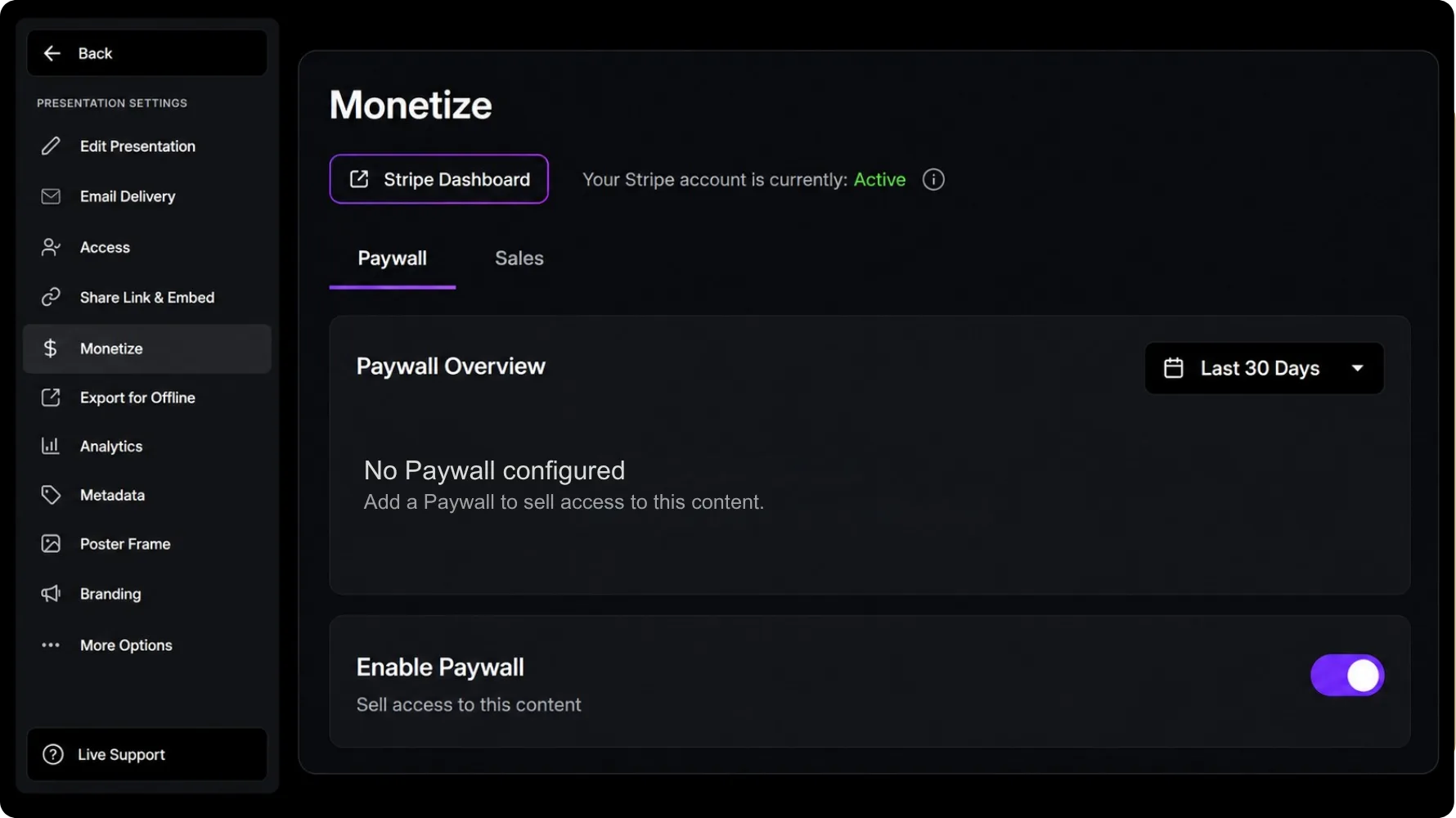
Price, currency, and commission sit on one Monetize screen. Stripe is connected. You decide what they pay and what MediaZilla takes. That is the money side, not a second dashboard.
See how it works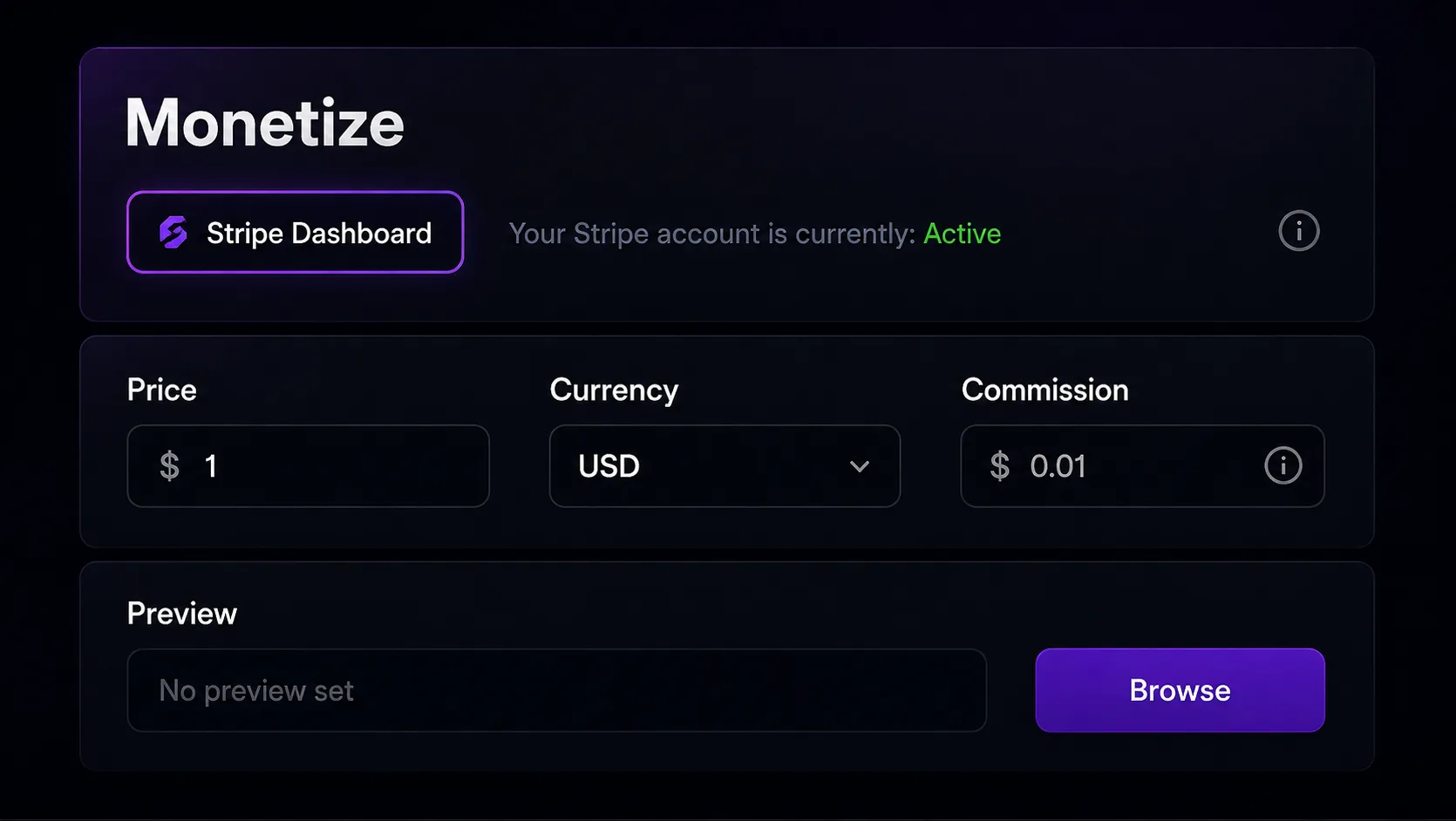

Video review
This changed how we present premium films to clients.
Brett
Video creator

10+ years
professional delivery our studio relies on
Sleek look, top-notch service. Couldn't be happier.
Ray Roman
Ray Roman Films

Video review
The delivery flow now feels polished and effortless.
Richard Osso
Filmmaker

Clients love it
easy to use, and service is spectacular
We could not be happier with the service.
Whitney Bowen
Bowen Films

Video review
Clients love the premium viewing experience.
Terry K
Videographer

Full control
privacy, sharing, and a menu-based delivery
Excellent service. The best way to deliver content.
Ger Griffin
Ger Griffin Wedding Film
Video review
Professional delivery that elevates every final film.
Chersteen Colby
Cinematographer

Since 2018
no more physical media for every project
My team switched to MediaZilla. Delivery got simpler.
Richard Kim
True Focus Films

Every year
upload, menus, and delivery keep getting better
I have used MZ since the beginning. Huge fan.
Eddy Wittevrongel
Ik Film Je

Clients do too
chapters, sharing, and a custom presentation
We love the ability to customize a presentation.
Ruth Samson
Sky Cinema Films
The essentials about access, playback, delivery, and the feature you are exploring.
A Paywall sells access to the project itself, which suits an audience that wasn't your paying client. Dynamic Video Sales sells add-ons to someone already watching. Many filmmakers run both on the same project.
An eligible plan (Growth or above), a connected Stripe account, and a supported currency. The Help Center's selling requirements article covers eligibility and tax compliance in full.
Through your connected Stripe account. Commission rates, payout timelines, refunds, and chargebacks are all documented in the Selling Media section.
Yes. Set up a presale Paywall and start collecting before any video is uploaded. Buyers get access automatically once you publish.
If you want them to. Downloads for Paywall buyers are a permission you enable in the video's Access settings.
Free to start, no card. Real people on our team if you get stuck.
Start freeLast updated