New Feature: Enhance Your Client Deliveries with Video Backgrounds on MediaZilla
By MediaZillaUpdated
Free migration offer
Move your Vimeo On Demand library to MediaZilla in 14 days - or we pay you $1,000.
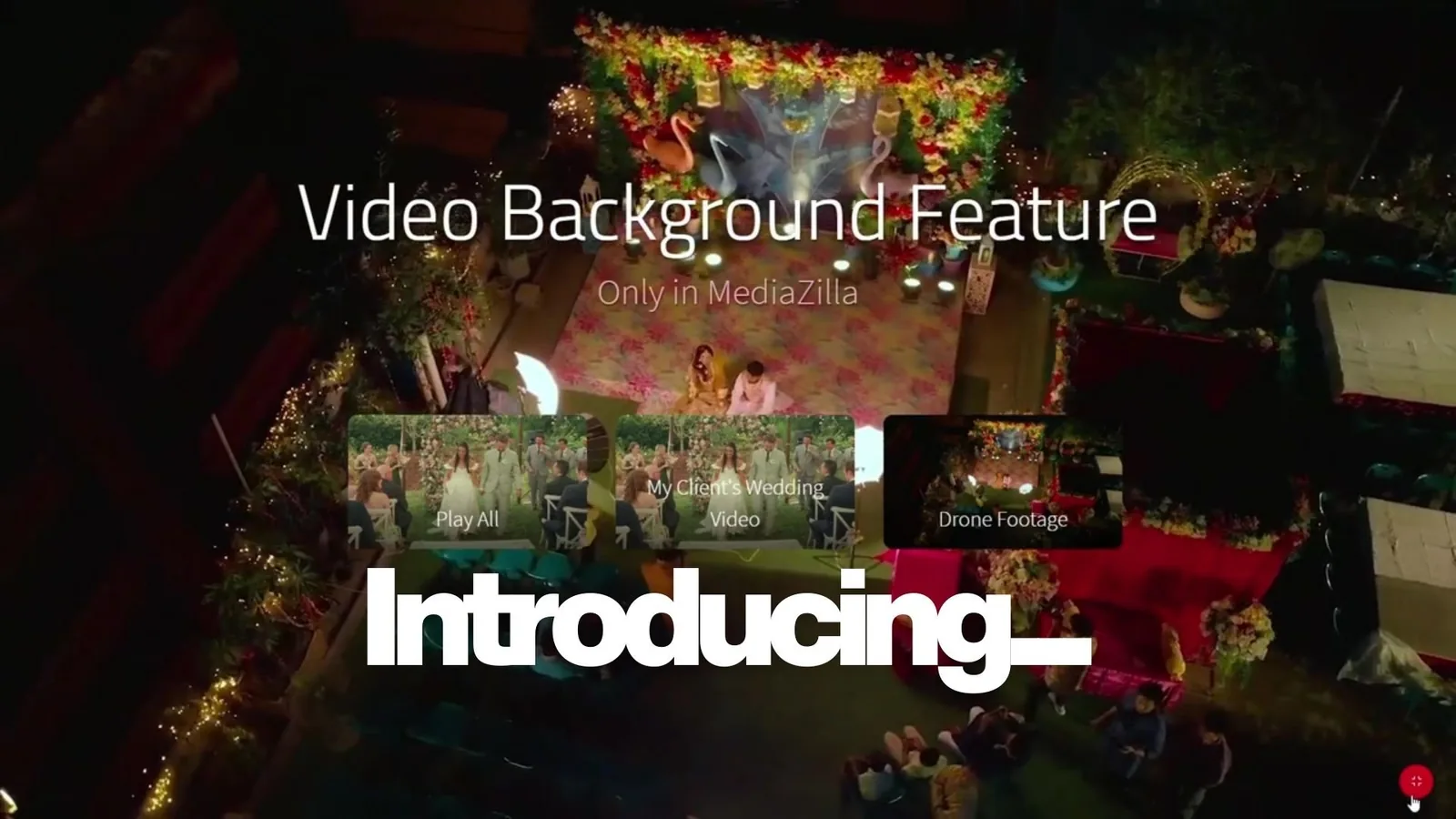
A simple, powerful touch for wedding films, corporate video, or dance recitals - extra flair and professionalism without extra steps.
TL;DR
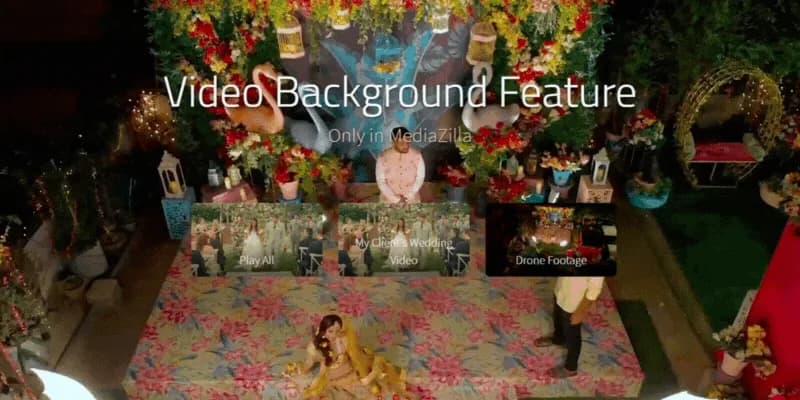
MediaZilla’s video background feature revolutionizes the way you deliver films. Add dynamic, looping video backgrounds to your presentation menus, giving your clients a visually stunning experience. This feature is available to Growth plans and above, providing filmmakers with the tools to create immersive, interactive experiences directly from their delivery platform. No extra software, no added complexity, just seamless, professional results.
Introduction: Give Your Presentations a Cinematic Edge
As a filmmaker, delivering a beautiful final product is just the beginning. What if you could make the delivery experience as memorable as the film itself? With MediaZilla's video background feature, you can do just that. This new feature allows you to add stunning, looping video backgrounds to your presentation menus, offering a polished and immersive experience for your clients.
This update takes your work beyond just a finished film; it transforms the delivery process into an interactive, cinematic journey.
Why Video Backgrounds Are a Game-Changer for Filmmakers
Gone are the days of static and uninspiring video delivery pages. With video backgrounds, your presentations will stand out. Think of it as taking your DVD menu experience and bringing it online with a fully customizable, dynamic interface.
The beauty of this feature lies in its simplicity and its ability to enhance the client experience without any added complexity. Whether you’re delivering a wedding film, a corporate video, or a dance recital, this feature adds the perfect touch of flair and professionalism.
Key Benefits of Using Video Backgrounds
1. Elevate Client Experience: Turn a standard delivery page into a visually immersive journey. Video backgrounds provide an engaging experience for your clients, setting your deliveries apart from the competition.
2. Seamless Integration: This feature integrates directly into your MediaZilla workflow; no additional tools are needed. Simply add the video background to your presentation menu, and you’reall sett.
3. Customizable & Easy to Use: With complete control over the poster frame and video background, you can match the style of your films. Whether it's a wedding, commercial, or event video, the background will complement your aesthetic.
4. Perfect for Any Film: From raw footage to edited content, the feature enhances both video-based and static image menus, providing you with complete creative flexibility.
5. No Extra Software or Tools: You don’t need to worry about complicated software. Just add a video as the background within MediaZilla, and the platform handles the rest; your menus will automatically loop smoothly.
How to Use Video Backgrounds in Your MediaZilla Presentation
Getting started with video backgrounds is as simple as a few clicks. Here’s a step-by-step guide to help you set it up:
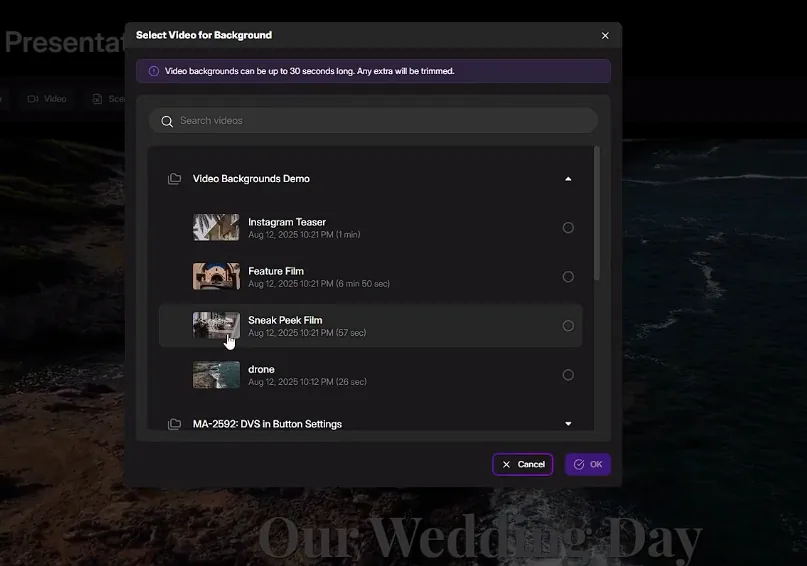
- Create a New Project or Edit an Existing One Open your MediaZilla dashboard and either create a new presentation or edit an existing one.
- Add Videos and Menu Buttons Add the videos you wish to deliver and organize them into buttons on your presentation menu.
- Set a Video as the Background Click the gear icon next to the menu button, and toggle on “Make this button a video background.”
- Customize Your Presentation Adjust the poster frame and video background to fit your aesthetic.
- Publish and Share Once you're happy with the design, click Publish to share your presentation with clients.
Full Video Tutorial: Step-by-Step Guide to Using Video Backgrounds
To help you get started with video backgrounds, we’ve created a full video tutorial that walks you through the entire process. Whether you’re a beginner or just exploring this new feature, the video will guide you through each step, from setting up your presentation to adding custom video backgrounds.
In this video tutorial, you will learn how to:
- Set up your first video background in just a few clicks.
- Add custom video backgrounds and poster frames.
- Preview and publish your presentation with looping video backgrounds.
- Seamlessly integrate your creative vision into your project.
Who Should Use Video Backgrounds?
Video Backgrounds are perfect for filmmakers of all types:
Wedding Filmmakers
Bring a personal, cinematic touch to your wedding films with immersive menus and beautiful transitions.
Event Videographers
Add a dynamic backdrop to event recaps or highlight reels for a more engaging delivery experience.
Dance Studios & Recital Filmmakers
Deliver performances with an interactive interface that parents and dancers will love.
Corporate Filmmakers
Offer a sleek, professional video experience for training modules, branded films, or client projects.
Why MediaZilla Is the Perfect Platform for Filmmakers
MediaZilla offers more than just video hosting. It’s a complete video delivery solution designed for filmmakers who want to provide an exceptional client experience. From interactive menus to easy-to-use customization options, MediaZilla ensures your delivery process is smooth, professional, and impactful.
With features like video backgrounds, raw footage sales, and seamless client access, MediaZilla is built to meet the unique needs of modern filmmakers, streamlining the way you work and making every project more profitable.
Ready to Get Started?
Video Backgrounds are live and available now for all Growth plans and above. Don’t miss out on this chance to elevate your client deliveries.
Ready to start using video backgrounds? Upgrade now to unlock this feature and take your film presentations to the next level.
Frequently Asked Questions
Q1. What is the video backgrounds feature on MediaZilla?
Q2. Do I need extra software to use video backgrounds?
Q3. Which filmmakers can benefit from video backgrounds?
Q4. How difficult is it to set up video backgrounds?
Q5. What subscription plan do I need for video backgrounds?

Featured Resource
Migrate from Vimeo On Demand before November 20
Apply for a free MediaZilla migration spot. Approved libraries move in 14 days - or we pay you $1,000.
Apply for free migration