How Long Should Videographers Keep Client Files?
By MediaZillaUpdated
A clearer client handoff
Give clients a viewing experience they can return to, alongside your file retention policy.
A delivery link is not a retention policy. Learn how to handle raw footage, editing projects, finished masters, and client access—with a practical checklist and delivery email template.
Keep client files for the period you have agreed and can reliably support. Set separate policies for raw footage, editing projects, finished masters, and online access. A delivery link alone does not tell a client when files will disappear, or confirm that they have saved a copy.
The awkward email usually arrives after a storage cleanup: could you send that video again? You remember delivering it. The client remembers being able to open a link. Neither of you discussed what happened next.
A filmmaker described exactly this gap on Reddit: a client returned for footage after the delivery files had been deleted. This is one person's account, not evidence of how every filmmaker works. But it raises a useful question: what did each side think delivery meant?
This guide is for videographers deciding what to promise after a project ends. It includes a retention worksheet, a handoff process, and an email you can adapt.
A viewing link, a download, and an archive are different promises
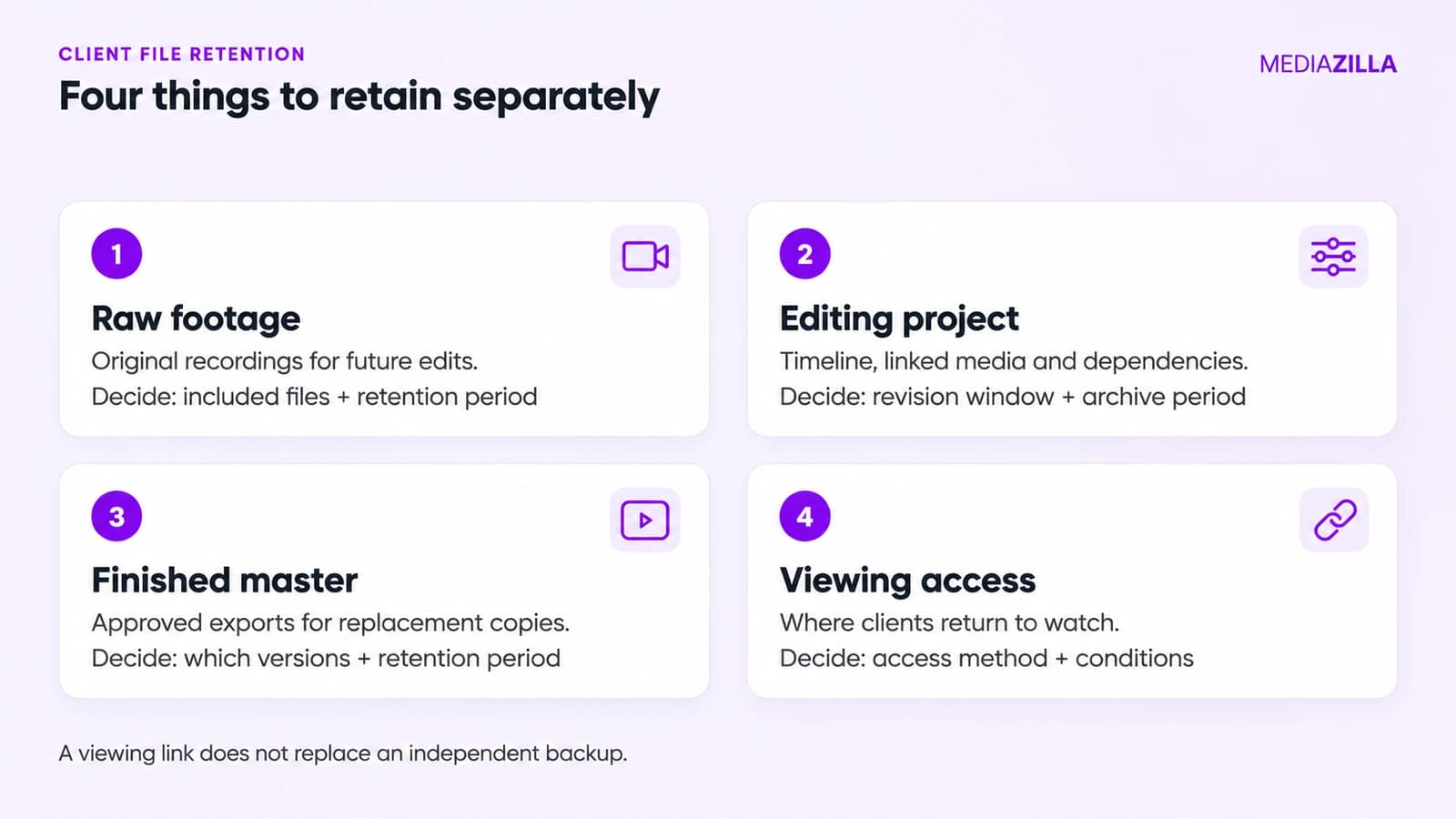
A couple may want to watch their ceremony next year. Your editor may need the project next week. A future re-edit may require the camera originals. Those needs involve different files and different costs.
| File or service | What it supports | What to explain |
|---|---|---|
| Raw footage | New edits from the original recordings | Whether it is included, available separately, and retained |
| Editing project | Revisions using timelines and linked assets | Retention of the project, media, fonts, and other dependencies |
| Finished master | Replacement copies of the approved film | Which export you retain and for how long |
| Online viewing | Convenient playback for the client | How access works and any conditions or expiry |
Saving an editing project without its linked media may leave you unable to reopen the work properly. Keeping a streaming copy does not, by itself, preserve the materials needed for another edit. Be specific about which promise you are making.
Build a retention policy around what you can actually maintain
Do not pick a number because another studio uses it. Start with your project sizes, revision process, storage budget, and ability to restore files. Any applicable obligations and project agreements also need to inform your policy.
For example, imagine a studio completes 30 projects a year, each with 500 GB of camera originals. That is 15 TB of new raw footage annually before additional copies, editing files, and exports. This is illustrative capacity planning, not an industry average. A promise to retain everything indefinitely needs a storage and maintenance budget behind it.
Complete this worksheet before presenting your policy to clients:
- Raw footage: retained until [date or clearly defined period]; included in delivery [yes/no].
- Editing materials: retained until [date]; explain what later revisions require.
- Approved masters: retained until [date or supported policy]; identify the exact deliverables.
- Viewing access: provided through [service and method], subject to [relevant conditions].
- Before deletion: notify [contact] through [channel] with [chosen notice period].
Use dates where possible. “Available until 30 April” is easier to act on than “available for a while.” If your policy changes, communicate how that affects existing projects rather than silently applying the new rule to older work.
Make delivery and backup separate steps
The CISA-hosted guide to backup options describes the 3-2-1 approach: three copies of important files, across two media types, with one copy offsite. Use that as a starting point for your archive design. A second drive beside your laptop does not protect against a loss affecting the whole room.
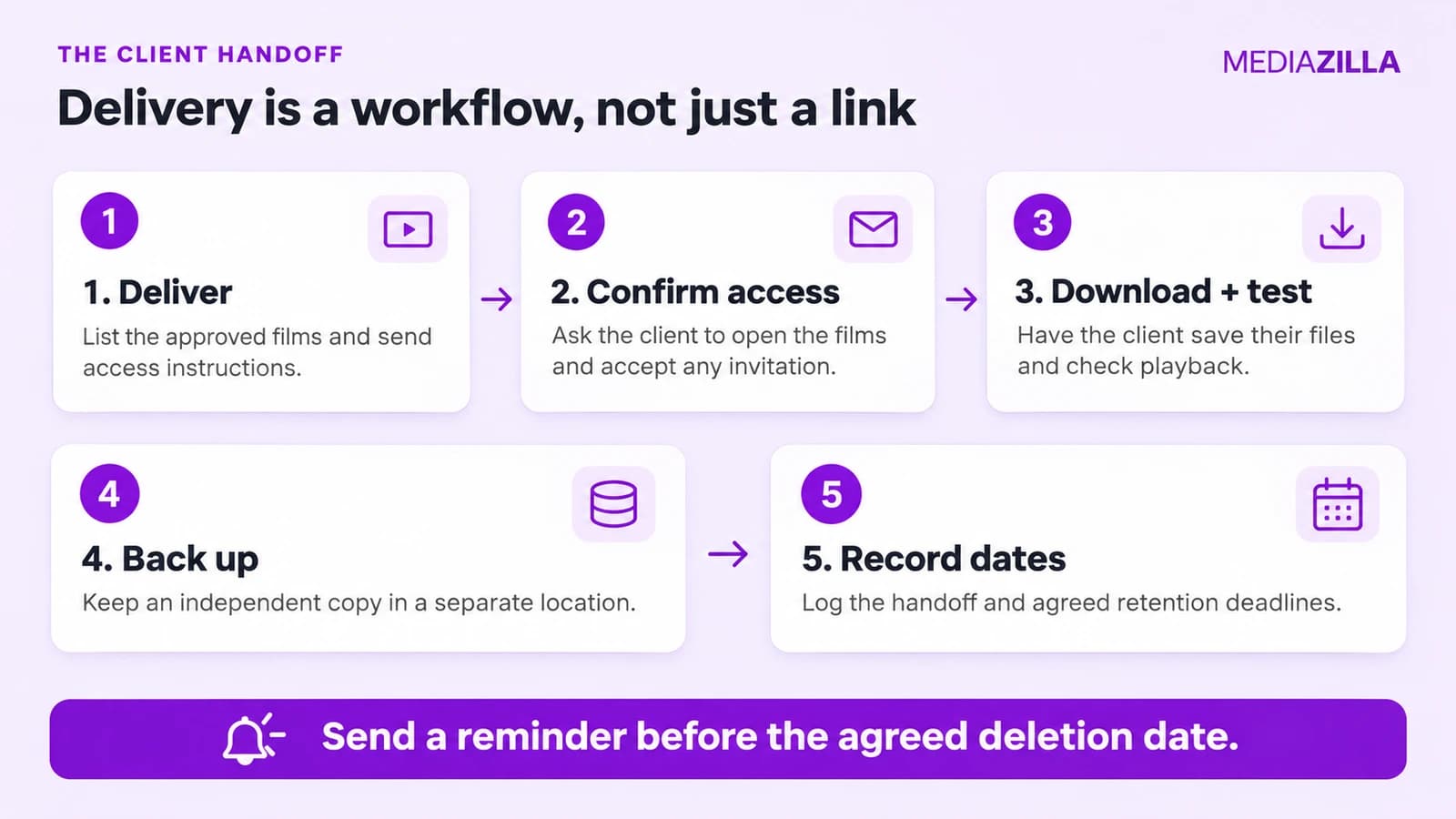
- Identify the approved version. Put final masters in a clearly named folder. Separate them from drafts and review exports.
- Create independent backup copies. Include the files needed to meet your retention promise. Check whether deletion from a synced folder also deletes its remote copy; synchronization alone may not provide the recovery behavior you expect.
- Test a restoration. Retrieve a file from the backup location and play it. For an editing archive, test that the project opens with its required media.
- Deliver with instructions. List the films, explain viewing and download access, and state any relevant deadlines.
- Record the handoff. Track invitation acceptance or download information where available, and ask the client to confirm they can open their files.
A download event is a useful signal, but it does not prove that the client tested the file or made another copy. Keep the confirmation request simple: can you open the film, and have you saved your backup?
Where MediaZilla fits into the handoff
MediaZilla can provide the viewing part of this workflow. Its current plan information describes lifetime streaming access for recipients who accept Email Deliveries. Treat acceptance as a handoff step, and distinguish it from merely sending someone a Share Link.
The MediaZilla Help Center explains that creator permissions determine whether recipients can download or redistribute content. A Share Link supports browser viewing; Email Delivery places accepted content in the recipient's own account. Confirm the permissions you intend before sending the invitation.
Long-term access to a delivered film does not automatically preserve your camera originals, editing timeline, or an independent client backup. Keep an archive policy alongside your delivery workflow.
If you are changing delivery services, our video library migration guide can help you plan the move. Check access with a test recipient before changing how you deliver every project.
A delivery email clients can understand
Adapt the template below to your actual agreement and platform settings. Replace every bracketed field before sending it.
Subject: Your films are ready — viewing, downloads, and backups
Hi [name], your [list of finished films] are ready at [delivery link].
To watch: [instructions, including accepting an invitation if required]. To save your own files: [download instructions]. Download access is [enabled / available through this separate link].
Please open the downloaded files to check that they play, then keep another copy somewhere separate from your main computer.
As agreed, we retain [raw footage] until [date], [editing materials] until [date], and [finished masters] under [policy]. Your online viewing access is [accurate explanation and conditions].
Please reply to confirm you can watch the films and access your downloads. If anything is unclear, contact us at [contact details].
For a deletion reminder, name the affected materials and the actual date. Explain any available transfer or extended-storage option without implying that finished viewing access and raw-footage retention are the same thing.
Before you delete client files, check these six things
- The retention period agreed for this project has ended.
- There are no unresolved revisions or other reasons the affected materials still need to be retained.
- The client received the notice your policy promises.
- You know which raw files, project dependencies, and exports the cleanup will remove.
- Any masters you have promised to retain remain backed up and recoverable.
- You have recorded what was removed and when.
The goal is a predictable handoff. Clients should know where to watch, how to save a copy, and what you will still have if they return later. You should know which promises your storage system can keep.
Try MediaZilla for your next client delivery, and pair the viewing experience with a clear retention policy and independent backups.
Frequently asked questions
How long should videographers keep client files?
Does sending a download link mean the client has a backup?
Does lifetime streaming access include raw footage?
Should I delete footage as soon as the client approves the film?
Sources and editorial notes
Written November 4, 2026. The workflow and templates are editorial recommendations. The Reddit discussion supplies an individual example; product claims come from MediaZilla documentation. No client story or test result has been invented.
Featured Resource
Plan your video library migration
Organize your library and test client access before changing delivery platforms.
Read the migration guide