Which Vimeo Plan Will You Be Moved To? (2026 Plan Mapping)
By MediaZillaUpdated
Free migration offer
Move your Vimeo On Demand library to MediaZilla in 14 days, or we pay you $1,000.

+$612 a year. That is the jump for a Vimeo Pro subscriber landing on the new Professional plan, while Starter pays $150 more and Advanced pays $48 less. The plan-by-plan map, what each move costs, and how to pick a cheaper plan yourself.
+$612 a year. That's the jump for a Vimeo Pro subscriber landing on the new Professional plan. A Starter subscriber pays $150 more. An Advanced subscriber pays $48 less.
Which one are you? Here's the plan-by-plan map, what each move costs, and the five-minute check that shows whether you can pick a cheaper plan yourself.
Where Does Each Old Plan Go?
Vimeo's Help Center gives the mapping for individual accounts:
- Starter or Plus to Core
- Standard, Advanced, Pro, Business, or Premium to Professional
- Accounts identified as business use to Studio
The business rule overrides the rest. If Vimeo thinks you're a business, the individual plans aren't open to you. We explain how that works in why you may be moved to Studio at $400 a month.
What Does Each Move Cost Per Year?
| Your old plan | Old price (annual billing) | Moves to | Per year before | Per year after | Change |
|---|---|---|---|---|---|
| Starter | $12/mo | Core | $144 | $294 | +$150 (+104%) |
| Plus | $12/mo | Core | $144 | $294 | +$150 (+104%) |
| Pro | $20/mo | Professional | $240 | $852 | +$612 (+255%) |
| Standard | $25/mo | Professional | $300 | $852 | +$552 (+184%) |
| Business | $50/mo | Professional | $600 | $852 | +$252 (+42%) |
| Advanced | $75/mo | Professional | $900 | $852 | −$48 (−5%) |
| Premium | $75/mo | Professional | $900 | $852 | −$48 (−5%) |
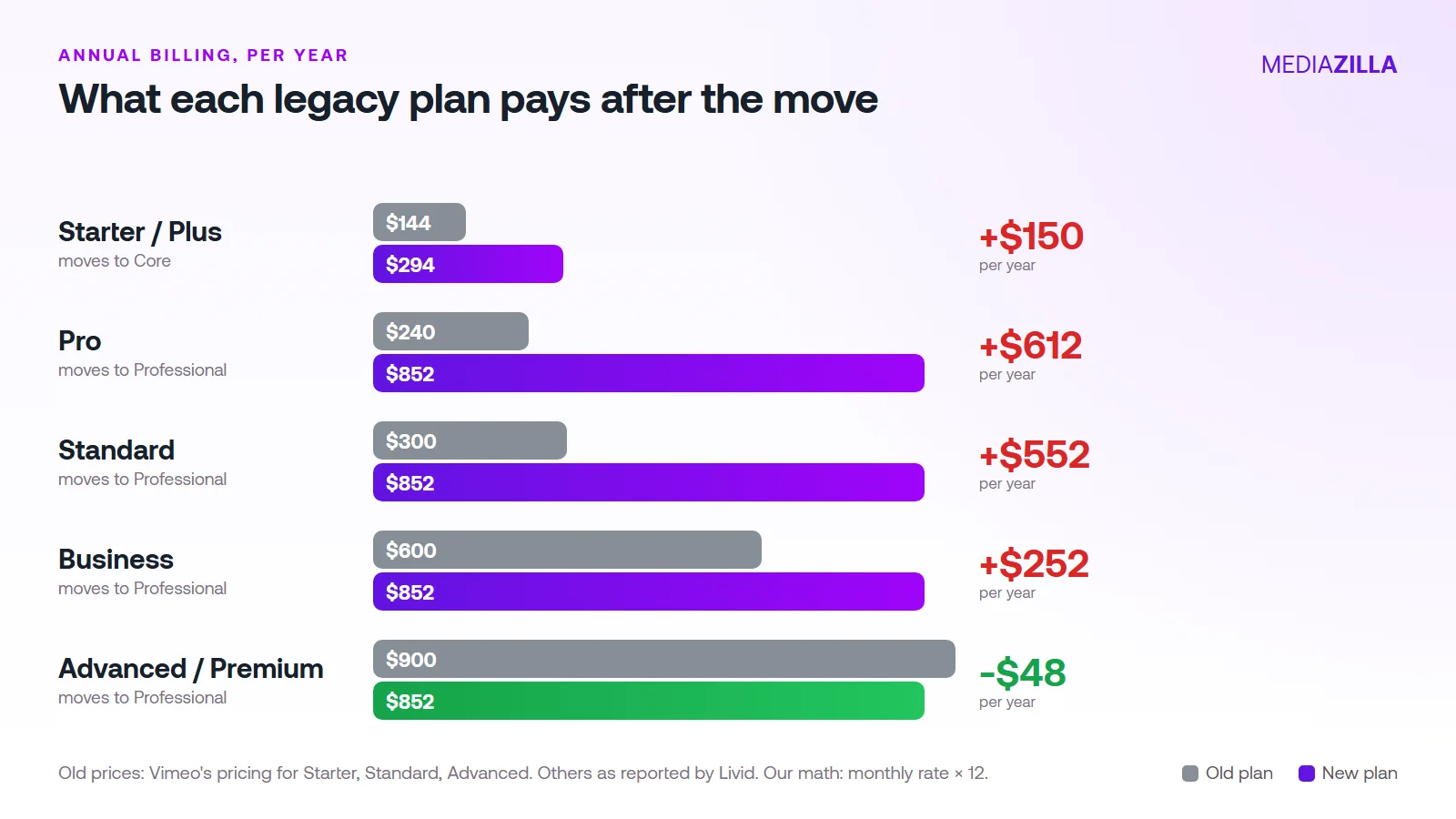
Notice who gets hit hardest. Not the biggest customers. The people on the lowest plans. A filmmaker paying $12 a month doubles. One on Pro more than triples.
And billing monthly makes it worse. Core is $40 a month billed monthly, which is $480 a year. On annual billing it's $294.
How Do You Check Your Own Plan?
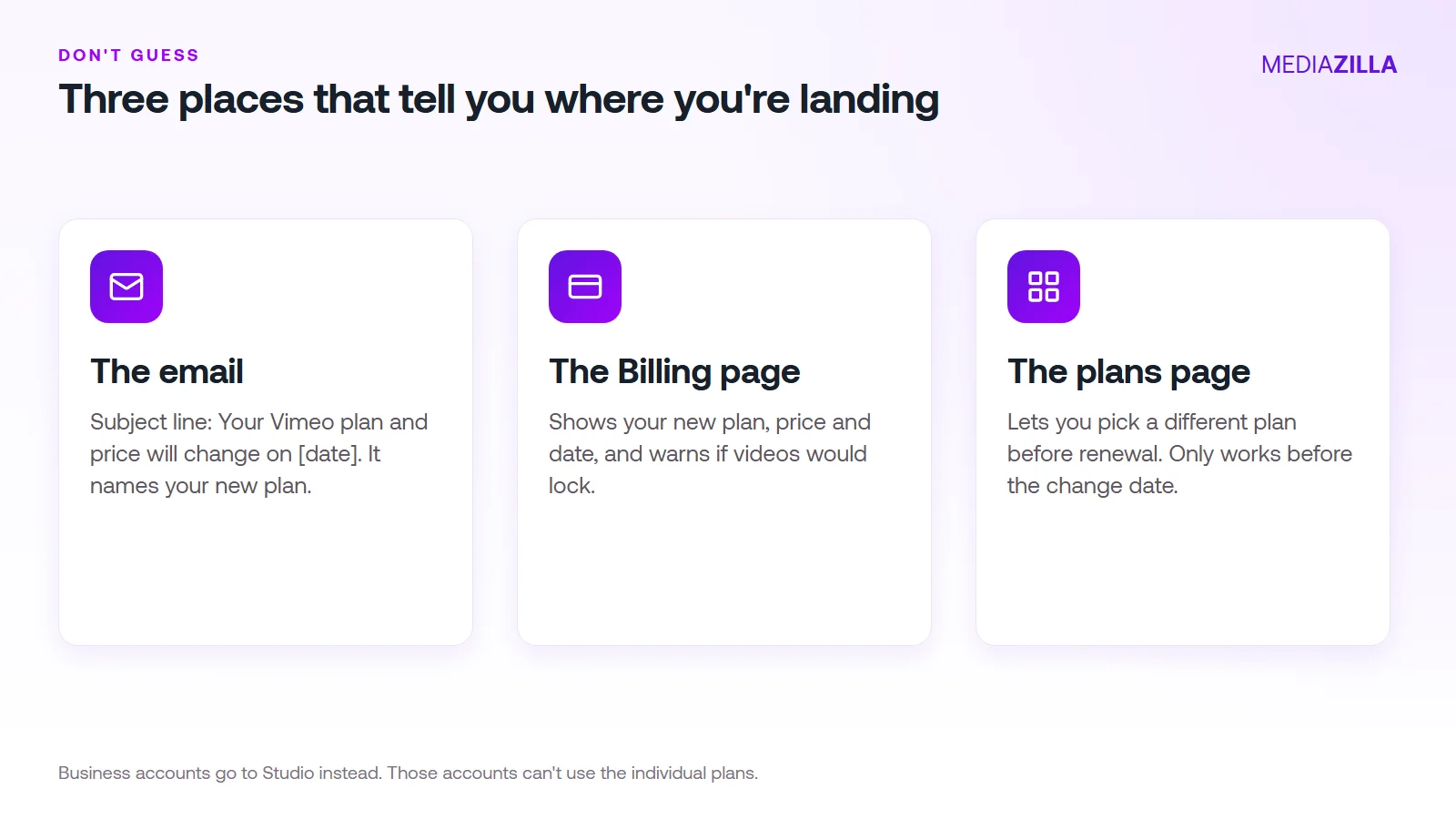
- The email. Vimeo sends it about a month before. The subject line is "Your Vimeo plan and price will change on [date]."
- The Billing page. It shows your new plan, price, and date. It also warns you if a change would lock videos.
- The plans page. This is where you pick something different.
Haven't received the email yet? Check your Billing page anyway. Vimeo says the rollout is gradual, so some accounts change a few months after others.
Can You Choose a Cheaper Plan Yourself?
Often, yes. Vimeo says you can pick any new plan on the plans page before the change, and your account renews under it. That's the most useful fact in the whole announcement.
Example. A Pro subscriber is headed to Professional at $852 a year. If their private video fits in 500 GB, Core at $294 saves $558 a year.
The Storage Catch
Read this part twice. Vimeo says existing users moving automatically to Core get 2 TB of Managed storage. New users or those who downgrade get 500 GB. Livid also reports that a grandfathered 2 TB lasts only while that subscription continues. Vimeo's compare page has been reported to list 300 GB for Core.
Translation: choosing Core yourself may give you less storage than the automatic move. Look at your Billing page before you confirm.
How Do You Pick the Right Plan in Five Minutes?
- Add up your private and embedded video. Skip public videos. They're free and unlimited.
- Match it to a tier. Under 50 GB: Creator ($108 a year). Under 500 GB: Core ($294). Under 7 TB: Professional ($852).
- Add a buffer. Leave 20% for next year's films.
- Switch to annual billing. That alone saves $186 a year on Core and $588 on Professional.
Say you keep 60 client films averaging 4 GB, so 240 GB. Add 20% and you need about 290 GB. That's Core, not Creator.
What If Your Videos Don't Fit?
Vimeo locks your newest uploads first. It doesn't delete them. A locked video can't be played, embedded, or edited. Vimeo says it stays downloadable for six months.
You have three ways out:
- Upgrade. Locked videos unlock once the plan covers your library.
- Move them elsewhere. Download the originals and host the films you deliver on a platform built for it.
- Make some public. A showreel or trailer can be public, which takes it out of the limit.
If your private library is client films you deliver and sell, a flat film platform may cost less than Professional. MediaZilla is $444 a year with DRM, TV apps, and 0% platform commission. If all you need is a few gigabytes, Creator at $108 a year is cheaper, and we won't pretend otherwise.
The full picture is in Vimeo's 2026 price increase, every plan explained. Planning to leave? Read how to cancel Vimeo without losing your videos.
Stop accepting the plan Vimeo picks. Start with your storage number. Start your MediaZilla account if your films need delivery, protection, and sales in one place.
How Does MediaZilla Solve This?
If the table above shows you paying a lot more for the same storage, here is the other model. MediaZilla doesn't slot you into a tier by what you already hold. You choose a yearly upload quota, and going over it doesn't lock your old films.
Your Videos Aren't Locked or Deleted
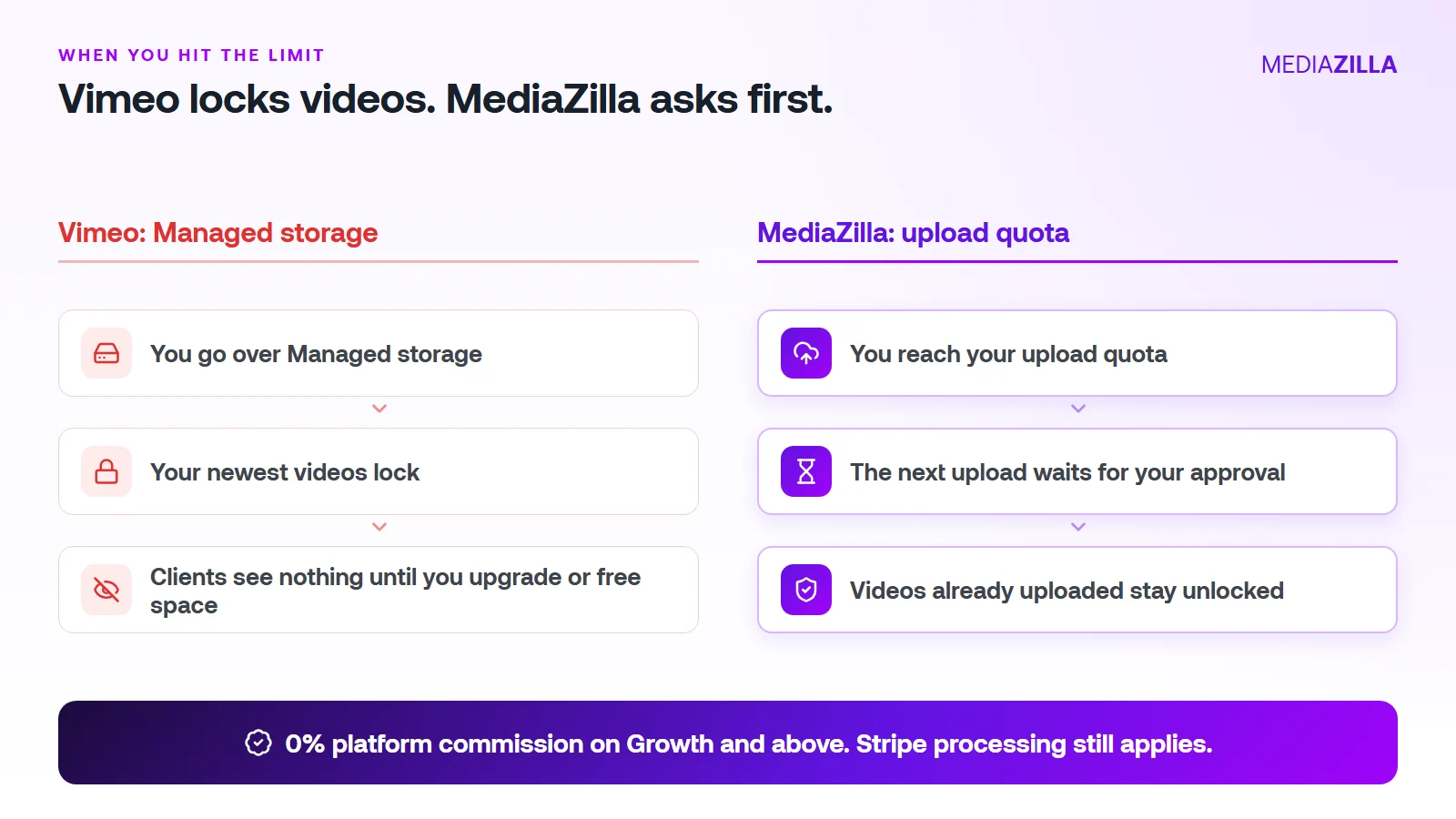
On Vimeo, going over your Managed storage locks your newest uploads. On MediaZilla, the quota limits what you upload in a year. It doesn't decide which films stay watchable.
Reach the quota and the next upload pauses until you approve extra quota or upgrade. Nothing you've already uploaded gets locked or deleted because you went over.
One thing to know. Deleting a video doesn't give quota back, and re-uploads count too. Upload what you plan to keep.
0% Platform Commission
On Growth and above, you can sell with the built-in paywall. Buyers pay into your own Stripe account and MediaZilla takes 0%. Stripe's card processing still applies, about 2.9% plus $0.30 per US card payment.
Starter and Free don't include video sales, so pick Growth or higher if selling is the point. On $12,000 in sales (300 films at $40), a 10% plus $0.50 checkout keeps $1,350. At 0% that line is $0. We break it down in zero-commission Stripe checkout.
How Does the Upload Quota Work, and Who Does It Help?
| Plan | Price (billed annually) | Upload quota | Extra upload | Seats | Sales commission |
|---|---|---|---|---|---|
| Free | $0 | 10 GB | $5/GB | 1 | Not included |
| Starter | $21/mo | 50 GB per year | $3.75/GB | 1 | Not included |
| Growth | $37/mo | 100 GB per year | $1.25/GB | 1 | 0% |
| Pro | $51/mo | 600 GB per year | $1.25/GB | 2 | 0% |
| Business | $94/mo | 1.2 TB per year | $1/GB | 5 | 0% |
You pay for what you add, at a clear per-GB rate. You don't get bumped to a bigger tier because last year's films pile up.
A worked example. Say you upload 240 GB in a year (60 films at 4 GB each, an illustration, so use your own numbers):
- Growth: $37 a month is $444 a year for 100 GB. The other 140 GB at $1.25 is $175. Total $619.
- Pro: $51 a month is $612 a year and covers 600 GB. Total $612. The better fit here.
Be honest about the other side. If you only host a few gigabytes of private video and never sell, a cheaper Vimeo plan can cost less. MediaZilla earns its price when you deliver, protect, and sell finished films.
How Is MediaZilla Different From the Others?
- Versus Vimeo: Vimeo caps what you keep and locks the overflow. Selling goes through Vimeo Streaming, which charges 10% plus $0.50 per transaction on Starter. See Vimeo vs MediaZilla.
- Versus Dacast: Dacast's paywall takes 9.9% plus $0.40 per purchase on top of the plan, and lists DRM on its $165 a month plan. See Dacast vs MediaZilla.
- Versus marketplaces: Gumroad lists 10% plus $0.50 per direct sale. You also share the buyer relationship.
- What MediaZilla adds: DRM encryption, apps for Roku, Apple TV, Fire TV, Android TV, iOS, and Android, and buyer access that survives even if you cancel your plan.
Try it before you commit. MediaZilla has a 14-day trial with no credit card. During the trial, selling runs at 15% commission, and the 0% rate starts on a paid Growth plan or higher. Start your free MediaZilla trial.
Frequently Asked Questions About Your New Vimeo Plan
Which Vimeo plan will I be moved to?
How much more will I pay on the new Vimeo plans?
Can I choose a different Vimeo plan than the one Vimeo picks?
How much storage do I get on Core?
What happens if my videos don't fit the plan I choose?
Is monthly or annual billing cheaper on the new plans?
Does a $9 Creator plan work for freelance filmmakers?
Is there a cheaper way to host client films than Vimeo Professional?
Featured Resource
Migrate from Vimeo On Demand before November 20
Apply for a free MediaZilla migration spot. Approved libraries move in 14 days, or we pay you $1,000.
Apply for free migration