Vimeo Studio Plan: Why You May Be Moved to $400 a Month
By MediaZillaUpdated
Free migration offer
Move your Vimeo On Demand library to MediaZilla in 14 days, or we pay you $1,000.

$3,900. That is how much more per year an Advanced customer pays when Vimeo moves them to Studio at $400 a month, and the customer does not get to choose. How Vimeo decides, how to check, how to appeal, and your options.
$3,900. That's how much more per year an Advanced customer pays when Vimeo moves them to Studio at $400 a month. And the customer doesn't get to say no.
Vimeo says it affects under 10% of paying customers. If you're in that group, you need to know how it works, how to check, and what your options are before your renewal date.
What Is the Vimeo Studio Plan?
Studio is the plan for business accounts under Vimeo's 2026 restructure. Per Vimeo's Help Center, it costs $400 a month on annual billing. It has 10 TB of Managed storage, 36 TB of bandwidth a year, and 10 seats. You can read the plan on Vimeo's Studio page.
Here's the part that matters. You don't pick Studio. Vimeo does. Accounts it identifies for business use can't use the individual plans.
How Big Is the Price Gap?
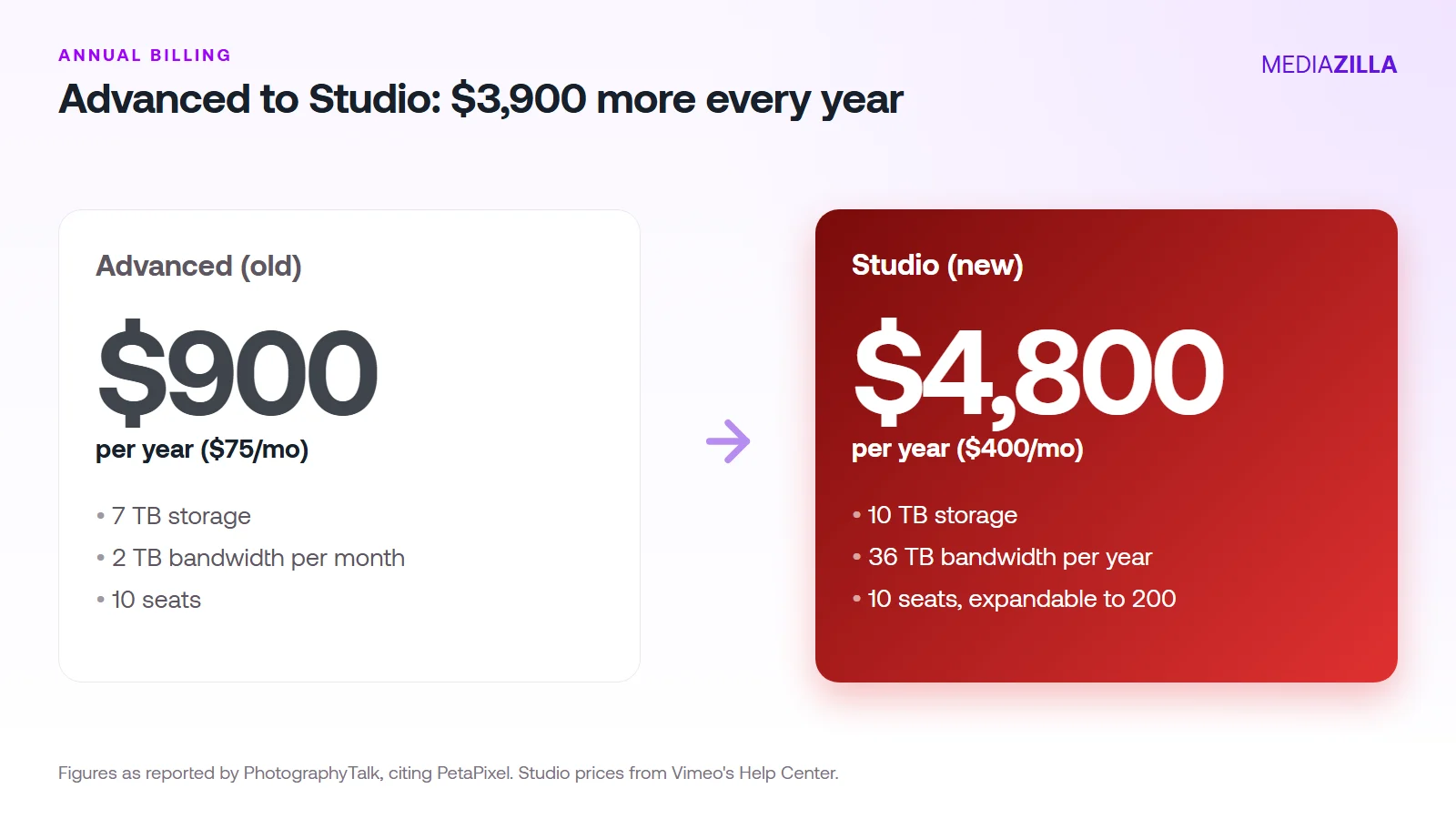
Advanced is $75 a month, or $900 a year. Studio is $4,800. That's $3,900 more, or about 5.3 times the price, as PhotographyTalk reports.
What do you get for it? 3 TB more storage than Advanced. A yearly bandwidth pool of 36 TB instead of 2 TB per month. Seats that can grow to 200. Useful for a company with a big team. Not useful for a freelance filmmaker who needed one extra tier.
Compare it with the plan you'd pick if Vimeo gave you the choice. Professional is $852 a year. Studio is $3,948 more.
Who Gets Moved to Studio?
Vimeo hasn't published a checklist. Here's what is on the record.
- Vimeo says accounts are identified using "several objective, account-level factors."
- The decision comes from Vimeo's Plan Usage Policy. Reporting says the policy applies regardless of seat count, according to a Vimeo statement quoted by PhotographyTalk.
- Livid, a competitor, says the factors include account domain, organizational affiliation, and usage. Treat that as a competitor's reading until Vimeo confirms it.
- Vimeo says it's under 10% of paying customers.
We can't tell you whether a solo filmmaker with a company email gets flagged. Nobody outside Vimeo can. What we can do is help you prepare.
What Do You Do If Vimeo Flags Your Account?
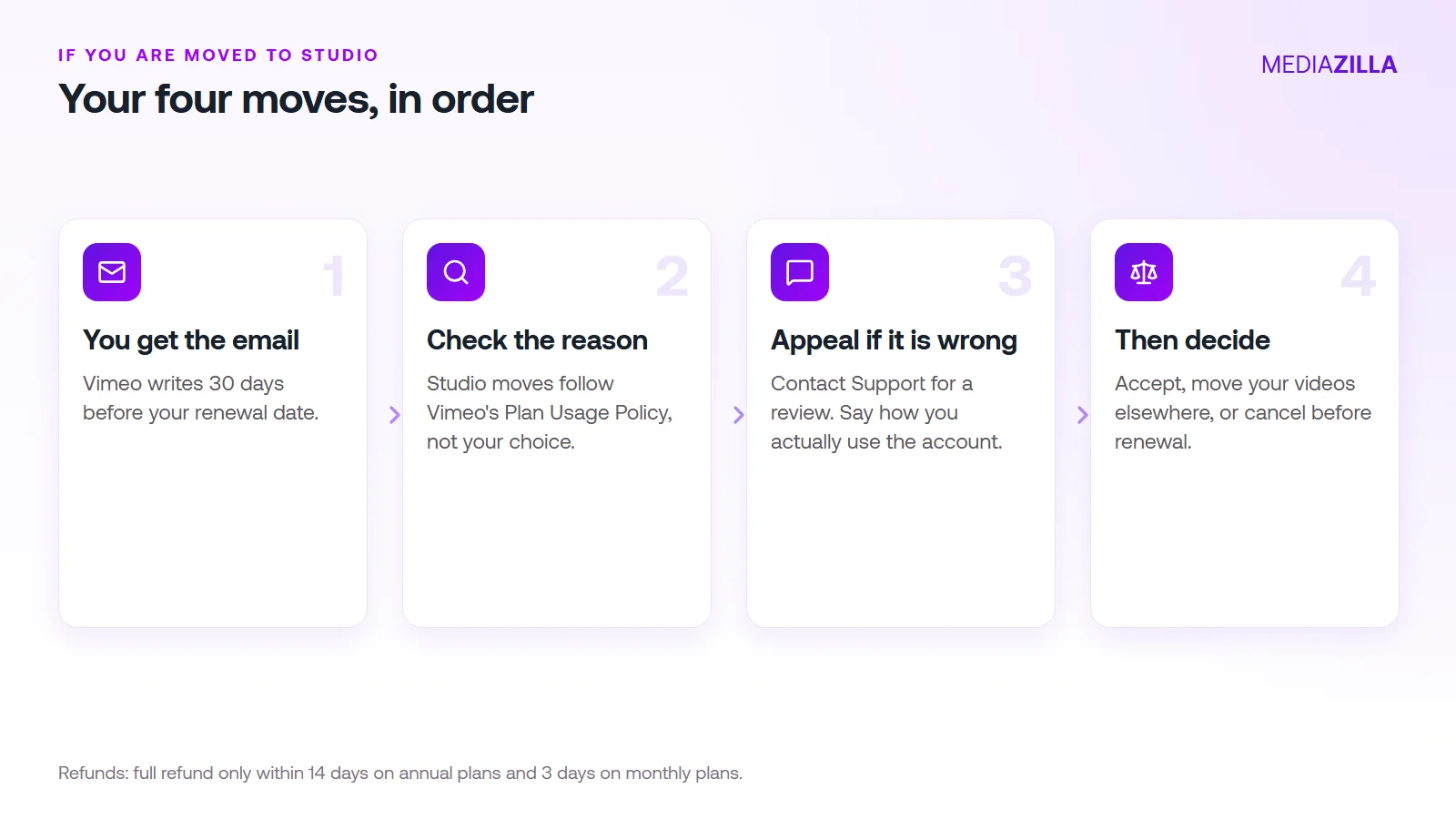
1. Read the Email the Day It Arrives
Vimeo emails about a month before your renewal. The subject line is "Your Vimeo plan and price will change on [date]." Put the date in your calendar. Everything else runs backward from it.
2. Check the Billing Page
It shows the new plan, the price, and the date. It also warns you about videos that would lock.
3. Appeal Fast If It's Wrong
Vimeo says users who believe they were identified by mistake can contact Support for a review. Do it in the first week. A week of back and forth leaves you with 23 days, not 30.
4. Decide Before the Deadline
Accept, move your videos, or cancel. Cancelling from the Billing page keeps your plan active until the renewal date, and you won't be charged again. Our cancel Vimeo guide has the step list.
Refunds are tight. Reporting says full refunds are available only within 14 days for annual subscriptions and 3 days for monthly. Don't count on getting money back after the charge.
How Do You Write an Appeal That Works?
Keep it short, factual, and specific. Give Support what a reviewer needs to say yes.

Subject: Plan review request, account [your email]
Hi, my renewal notice says I'm moving to Studio. I believe my account was identified as business use by mistake. I'm a [freelance filmmaker / solo videographer]. Only I use this account. I keep about [number] private client films, roughly [GB] in total. I don't resell Vimeo access or run a team. Please review and confirm which individual plan applies. My renewal date is [date].
Send it from the email on the account. Keep the reply. If it's a no, you've lost a week, not the decision.
What Are Your Options Besides Paying $4,800?
PhotographyTalk lists several alternatives for businesses leaving Studio pricing. Prices are as that site reports, so check each vendor.
- SproutVideo Tree: $72 a month annual, 1 TB storage, usage-based overage.
- Wistia Business: $79 a month, built for marketing teams.
- Dacast Scale: $165 a month annual, 24 TB a year of bandwidth.
- Bunny Stream or Cloudflare Stream: pay for what you store and deliver.
Those are general hosts. If your job is delivering and selling finished films, a film platform fits better. MediaZilla charges 0% platform commission and $444 a year, includes DRM and TV apps, and gives buyers access that survives if you cancel. If you run internal training or marketing video for a company, it isn't the right tool. We'd say so.
See how it compares in Vimeo vs MediaZilla. The full pricing map is in Vimeo's 2026 price increase, every plan explained, and the individual plan table is in which Vimeo plan you'll be moved to.
Stop letting a renewal email set your budget. Start your appeal this week. Start your MediaZilla account if your films deserve a home with a flat price.
How Does MediaZilla Solve This?
Studio's price comes from how Vimeo classifies your account. On MediaZilla you choose the plan and the upload quota, and the price on the pricing page is the price. Here is how the rest works.
Your Videos Aren't Locked or Deleted
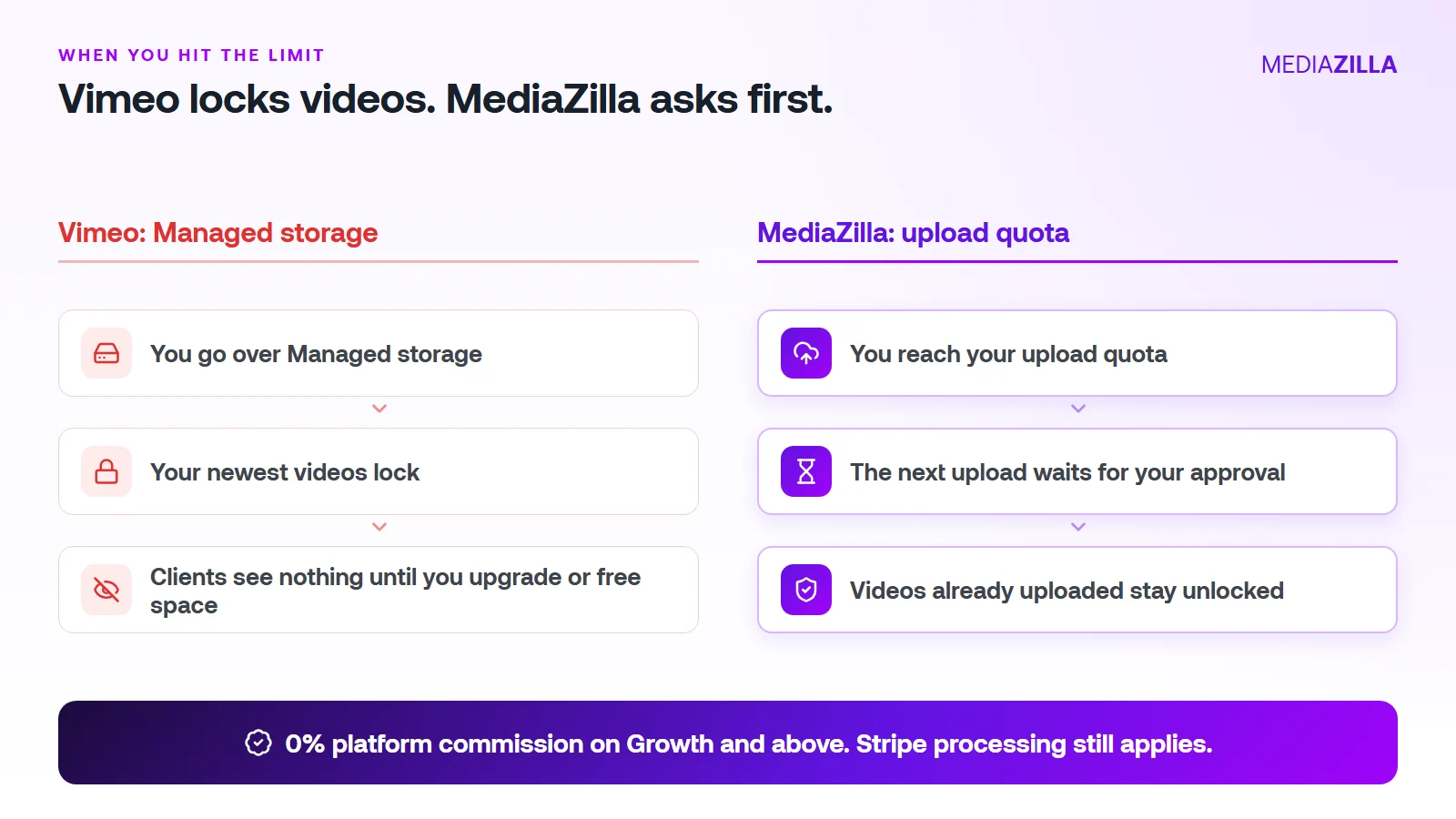
On Vimeo, going over your Managed storage locks your newest uploads. On MediaZilla, the quota limits what you upload in a year. It doesn't decide which films stay watchable.
Reach the quota and the next upload pauses until you approve extra quota or upgrade. Nothing you've already uploaded gets locked or deleted because you went over.
One thing to know. Deleting a video doesn't give quota back, and re-uploads count too. Upload what you plan to keep.
0% Platform Commission
On Growth and above, you can sell with the built-in paywall. Buyers pay into your own Stripe account and MediaZilla takes 0%. Stripe's card processing still applies, about 2.9% plus $0.30 per US card payment.
Starter and Free don't include video sales, so pick Growth or higher if selling is the point. On $12,000 in sales (300 films at $40), a 10% plus $0.50 checkout keeps $1,350. At 0% that line is $0. We break it down in zero-commission Stripe checkout.
How Does the Upload Quota Work, and Who Does It Help?
| Plan | Price (billed annually) | Upload quota | Extra upload | Seats | Sales commission |
|---|---|---|---|---|---|
| Free | $0 | 10 GB | $5/GB | 1 | Not included |
| Starter | $21/mo | 50 GB per year | $3.75/GB | 1 | Not included |
| Growth | $37/mo | 100 GB per year | $1.25/GB | 1 | 0% |
| Pro | $51/mo | 600 GB per year | $1.25/GB | 2 | 0% |
| Business | $94/mo | 1.2 TB per year | $1/GB | 5 | 0% |
You pay for what you add, at a clear per-GB rate. You don't get bumped to a bigger tier because last year's films pile up.
A worked example. Say you upload 240 GB in a year (60 films at 4 GB each, an illustration, so use your own numbers):
- Growth: $37 a month is $444 a year for 100 GB. The other 140 GB at $1.25 is $175. Total $619.
- Pro: $51 a month is $612 a year and covers 600 GB. Total $612. The better fit here.
Be honest about the other side. If you only host a few gigabytes of private video and never sell, a cheaper Vimeo plan can cost less. MediaZilla earns its price when you deliver, protect, and sell finished films.
How Is MediaZilla Different From the Others?
- Versus Vimeo: Vimeo caps what you keep and locks the overflow. Selling goes through Vimeo Streaming, which charges 10% plus $0.50 per transaction on Starter. See Vimeo vs MediaZilla.
- Versus Dacast: Dacast's paywall takes 9.9% plus $0.40 per purchase on top of the plan, and lists DRM on its $165 a month plan. See Dacast vs MediaZilla.
- Versus marketplaces: Gumroad lists 10% plus $0.50 per direct sale. You also share the buyer relationship.
- What MediaZilla adds: DRM encryption, apps for Roku, Apple TV, Fire TV, Android TV, iOS, and Android, and buyer access that survives even if you cancel your plan.
Try it before you commit. MediaZilla has a 14-day trial with no credit card. During the trial, selling runs at 15% commission, and the 0% rate starts on a paid Growth plan or higher. Start your free MediaZilla trial.
Frequently Asked Questions About Vimeo Studio
What is the Vimeo Studio plan?
Can I choose the Studio plan, or does Vimeo decide?
How many Vimeo customers are being moved to Studio?
How do I find out if my account is moving to Studio?
Can I appeal if Vimeo put me on Studio by mistake?
What does Studio cost compared with Professional?
Can I get a refund if I'm moved to Studio?
Is there a cheaper alternative to Vimeo Studio?
Featured Resource
Migrate from Vimeo On Demand before November 20
Apply for a free MediaZilla migration spot. Approved libraries move in 14 days, or we pay you $1,000.
Apply for free migration