Why Event Videographers Choose MediaZilla: Delivery, Add-On Sales, Presales, and TV Apps in One Plan
By MediaZillaUpdated
Free migration offer
Move your Vimeo On Demand library to MediaZilla in 14 days, or we pay you $1,000.
An event film is two jobs: delivering it and selling more from it. Here is why event videographers choose MediaZilla, what it costs, how Starter compares with Growth, and where it is not the right tool.
An event film is two jobs: delivering it, and selling more from it. Most tools do the first. MediaZilla is built for both.
This guide explains why event videographers choose it, what it costs, and where it is not the right tool. Plan details come from MediaZilla's pricing page and support articles. For a side-by-side with other platforms, read our best platform for event videographers comparison.
Why Do Event Videographers Choose It?
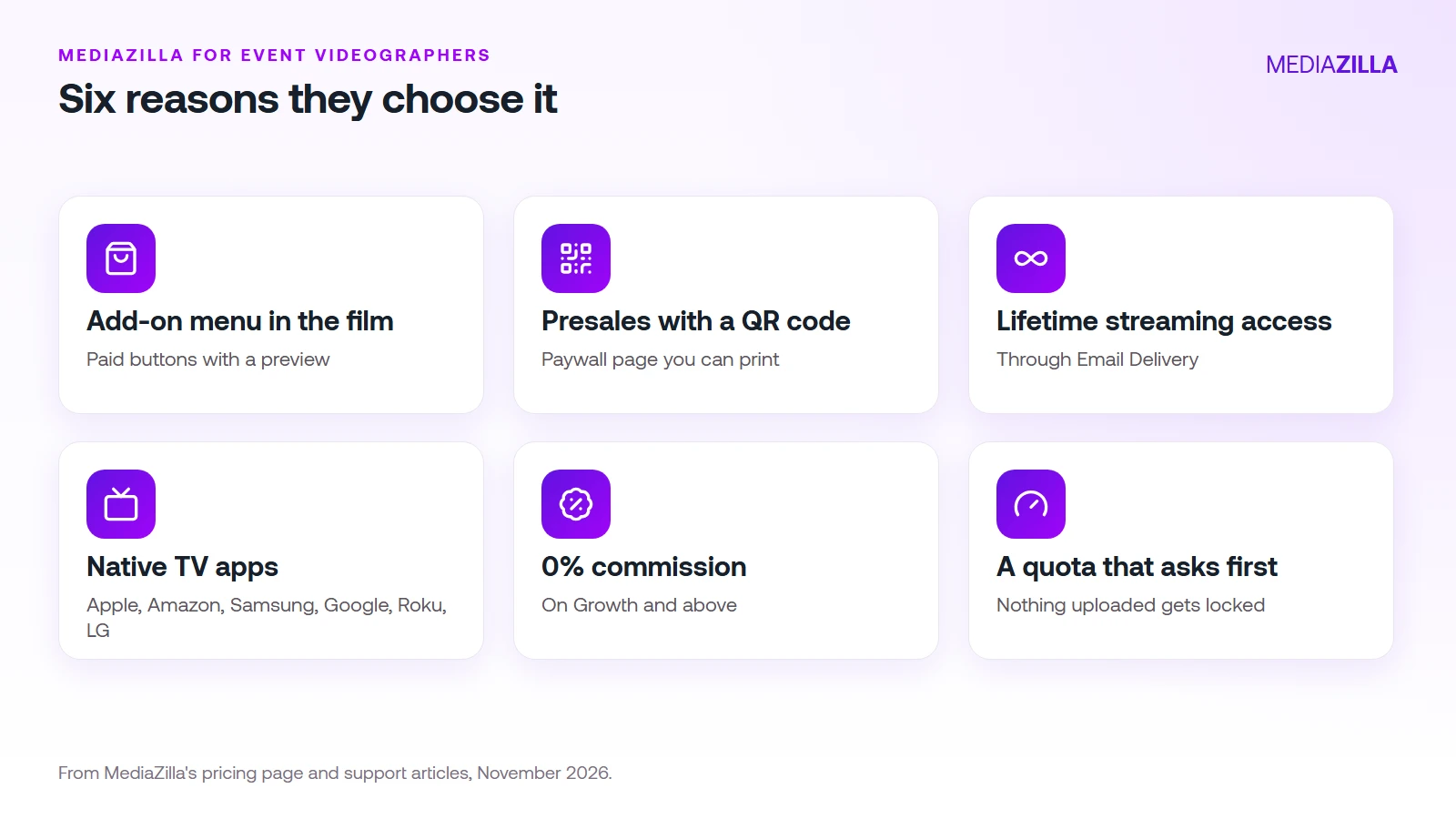
- An add-on menu inside the film. Dynamic Video Sales lets you add paid buttons to a film's menu, each with a title, a description, a price, and an optional preview. Clients buy without leaving the film. See how event videographers raise revenue per client.
- Presales with a purchase page and a QR code. Enable the paywall and put the link or QR code in programs, posters, and emails. See presell event video.
- Lifetime streaming access through Email Delivery. According to the pricing page, recipients who accept keep streaming access, so a past client can come back and buy a new add-on.
- Native apps for the TV. The pricing page lists native apps for iOS, Android, and smart TVs, including Apple, Amazon, Samsung, Google, Roku, and LG.
- A flat plan with 0% commission on Growth and above. Buyers pay through Stripe into your own account, and card processing still applies.
- A quota that asks before it locks. Reach your yearly upload quota and the next upload waits for your approval. Nothing already uploaded is locked, and buyers keep access to what they purchased even if you cancel your plan.
What Does It Cost?
| Plan | Price, billed annually | Yearly upload quota | Seats | Commission on sales | Extra upload |
|---|---|---|---|---|---|
| Starter | $21 a month | 50 GB | 1 | 15% | $3.75/GB |
| Growth | $37 a month | 100 GB | 1 | 0% | $1.25/GB |
| Pro | $51 a month | 600 GB | 2 | 0% | $1.25/GB |
| Business | $94 a month | 1.2 TB | 5, extra seats $5 each | 0% | $1/GB |
Free is $0 with 10 GB and no video sales. Starter is prepaid yearly. Enterprise is custom. The 14-day trial includes 10 GB of uploads, branding, advanced analytics, and selling at 15% commission. Check mediazilla.com/pricing for current numbers.
Starter or Growth?
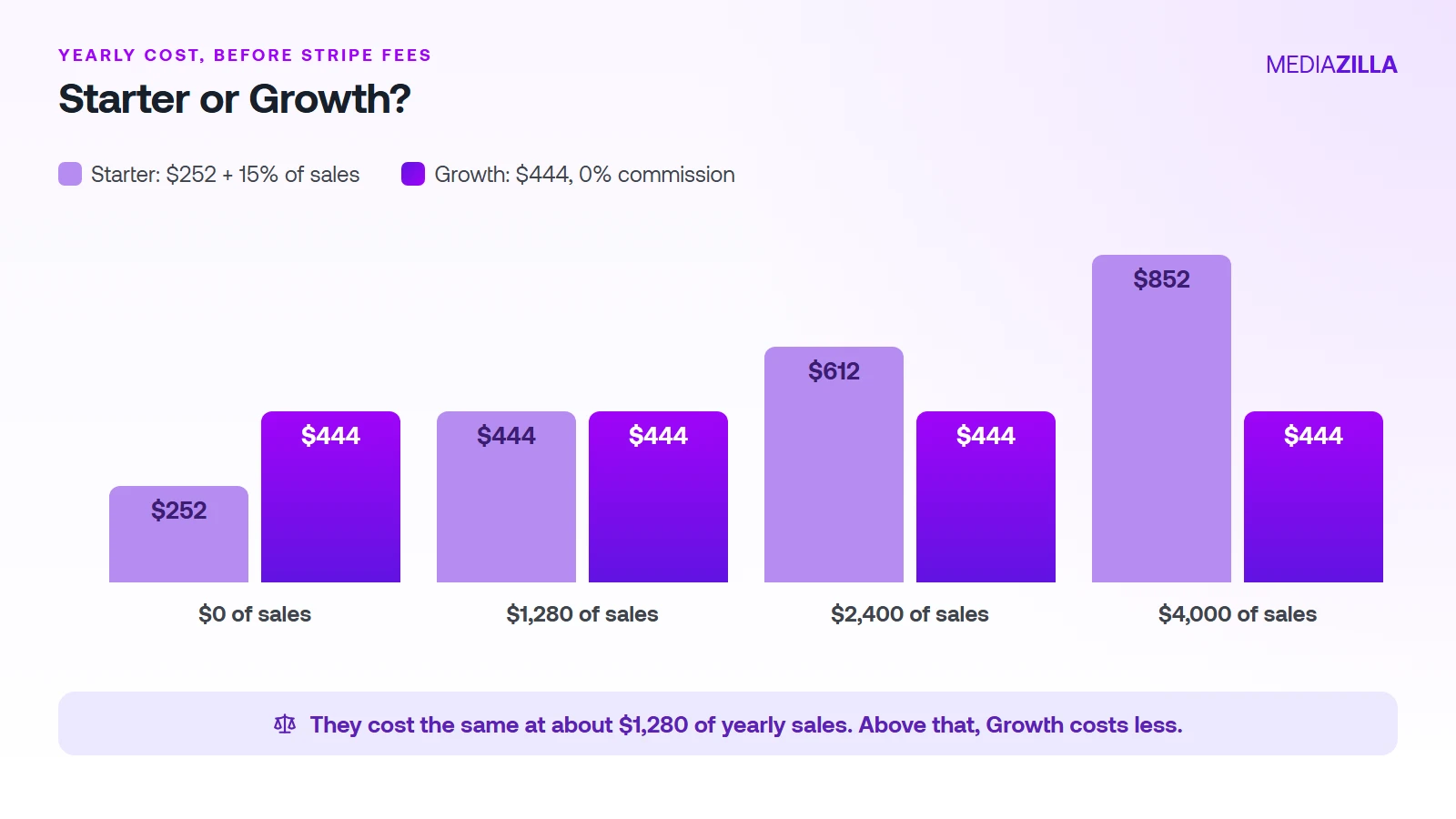
Starter costs $252 a year plus 15% of sales. Growth is $444 a year with 0% commission. They cost the same at about $1,280 of yearly sales ($192 divided by 0.15). Above that, Growth costs less.
An illustration: $2,400 of add-on sales in a year costs $612 on Starter ($252 plus $360 commission) and $444 on Growth. That is $168 less on Growth. Stripe's card fees are the same on both.
Where Is MediaZilla Not the Right Tool?
- Photo prints and albums. A photo-first tool may fit better if prints are a big part of your income.
- Approval workflows on rough cuts. Frame.io is built for review.
- Free selling. The Free plan can't sell, and the trial sells at 15% commission.
- Deleting to save quota. Deleting a video doesn't give quota back, and re-uploads count.
- DRM. The pricing page doesn't list it. Our protection guide describes the protection approach, so confirm what your plan includes.
- Finding clients. MediaZilla doesn't bring them. See how event videographers get more clients.
How Do You Start?
- Pick a plan. Growth is a good default if you plan to sell more than about $1,280 a year.
- Upload your first finished film and build its film page.
- Connect Stripe so payments go to your own account.
- Add one or two add-ons, with clear titles and a preview.
- Send the film with Email Delivery, and offer add-ons after the client watches.
Ready to deliver and sell from one place? Upload your first film and try MediaZilla free.
Frequently Asked Questions About MediaZilla for Event Videographers
Is MediaZilla good for event videographers?
How much does MediaZilla cost?
Does MediaZilla take a commission?
Can clients watch on a TV?
What happens if I go over my upload quota?
Is there a free trial?
Featured Resource
Migrate from Vimeo On Demand before November 20
Apply for a free MediaZilla migration spot. Approved libraries move in 14 days, or we pay you $1,000.
Apply for free migration